The 7 Best Aha! Alternatives in 2026 (Honestly Compared)
7 min readUpdated August 13, 2026
On this page▾
- Why Teams Leave Aha!
- All 7 Aha! Alternatives at a Glance
- 1. fdback — Best for the Feedback Loop Without the Suite
- 2. Canny — Best for Funded Teams with Deep Integrations
- 3. Featurebase — Best All-in-One (Feedback + Support)
- 4. Productboard — Best Head-to-Head Strategic PM Platform
- 5. Frill — Best Flat-Rate Mid-Tier Option
- 6. Sleekplan — Best Free Aha! Alternative
- 7. Nolt — Best for Extreme Simplicity
- When Aha! Still Makes Sense
- How to Choose
- Migrating Off Aha!
- FAQ
- Keep Comparing
Aha! is powerful — nobody’s arguing that. Roadmaps, idea portals, whiteboards, knowledge bases, OKRs, strategic planning, and a dozen other modules. But most product teams don’t need a Swiss Army knife with 47 blades. If you landed here, you’re probably dealing with one of these:
-
The price stacks — Aha! Ideas is $39/user/month; Aha! Roadmaps is $59/user/month. A 10-person team runs $7,000+/year, with ~3% annual increases quietly applied on top.
-
The complexity is real — strategic initiatives connect to goals connect to releases connect to features connect to ideas. It makes sense eventually; getting there takes weeks, and without a dedicated tool owner it becomes an abandoned purchase.
-
Feedback gets buried — user ideas compete with OKRs, themes, and executive priorities in the same dense interface. Sometimes you just want to see what users are asking for.
-
No real free plan — just a 30-day trial.
This guide compares the 7 best Aha! alternatives on pricing, complexity, and what each is actually built for. The key question: do you need strategic portfolio planning (then compare Aha! against Productboard) or a feedback loop your users participate in (then a dedicated feedback tool is lighter and 90% cheaper)? Full disclosure: we build fdback, the first tool on the list.
Why Teams Leave Aha!
Aha! was built for Fortune 500 product organizations with dedicated ops teams — and priced accordingly:
| Product | Price | What it is |
|---|---|---|
| Aha! Ideas | $39/user/month | Idea portals with voting |
| Aha! Roadmaps | $59/user/month | Strategic roadmapping (includes Ideas Essentials) |
| Full suite add-ons | Stacked per user | Whiteboards, Knowledge, Develop… |
A 10-person team on Roadmaps: $7,080/year, becoming ~$7,300 next year, ~$7,500 the year after. And if what you actually wanted was to collect user feedback and show what you’re building, most of that spend buys planning machinery your users never see.
All 7 Aha! Alternatives at a Glance
| Tool | Best for | Pricing model | Starting price | Public feedback loop |
|---|---|---|---|---|
| fdback | Feedback loop, zero setup | Flat rate | Free, then $15/mo | ✅ |
| Canny | Funded teams, integrations | Per tracked user | Free (25 users), then from $79/mo | ✅ |
| Featurebase | Feedback + support in one | Per seat | Free (1 seat), then $29/seat/mo | ✅ |
| Productboard | Strategic PM head-to-head | Per maker | $19/maker/mo | ❌ No public voting widget |
| Frill | Flat-rate mid-tier | Flat rate | $25/mo | ✅ |
| Sleekplan | Best free plan + surveys | Flat rate | Free, then $13/mo | ✅ |
| Nolt | Extreme simplicity | Per board | $29/mo per board | ✅ (no changelog) |
1. fdback — Best for the Feedback Loop Without the Suite
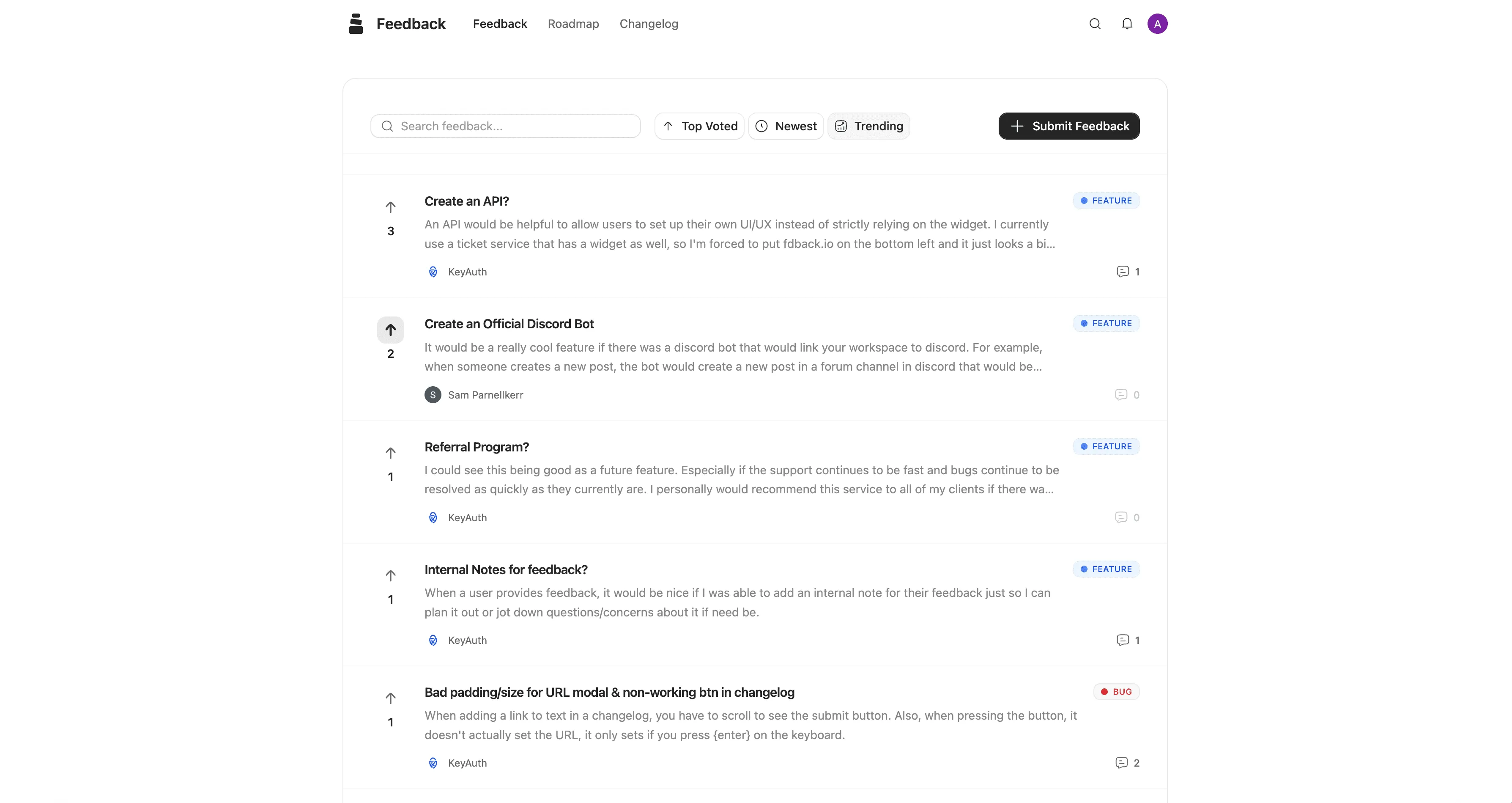
fdback is three tabs instead of thirty: users submit ideas and vote, you drag cards across a public roadmap, and when you ship, everyone who asked gets notified through the changelog. No strategic initiatives, no capability matrices — and no weeks of configuration. People set up a working board in under 10 minutes, not because they’re power users, but because there’s just not much to configure.
Pricing: free plan (full features, 1 workspace — not a 30-day trial), then Pro at $15/month flat.
| Aha! (10 users) | fdback | |
|---|---|---|
| Pricing model | $39–59/user/month | $15/month flat |
| Annual cost (10 people) | $4,680–7,080+ | $180 |
| Free plan | No (30-day trial) | Yes |
| Changelog with voter notifications | ❌ | ✅ |
| Setup time | Weeks | Minutes |
AI does the boring moderation work — duplicate detection and spam filtering on every plan, auto-tagging on Pro — focused on saving you 20 minutes a day, not on strategic analysis. Integrations target what small teams actually use: Slack, Discord, Linear, Asana, App Store & Google Play review import, webhooks.
What fdback doesn’t do: OKRs, strategic planning, portfolio views, whiteboards. If your organization runs on those, you need a planning suite — see Productboard below.
Choose fdback over Aha! if what you wanted from Aha! Ideas was a place where users vote and get told when things ship — at 3% of the price.
2. Canny — Best for Funded Teams with Deep Integrations
Canny is the most established dedicated feedback tool: boards, roadmap, changelog, AI, plus revenue-based user segmentation and integrations with Jira, Linear, GitHub, Salesforce, and HubSpot.
Pricing: free for 25 tracked users, then Pro starting at $79/month billed yearly — scaling with tracked users (customers who vote or post).
Watch out for: costs grow with feedback volume. Details in our Canny pricing guide and Canny alternatives roundup.
Choose Canny over Aha! if you want customer votes — enriched with revenue data — to drive prioritization, rather than internal scoring.
3. Featurebase — Best All-in-One (Feedback + Support)
Featurebase bundles the feedback loop with surveys, a help center, a support inbox, and an AI agent — a suite, but a customer-facing one.
Pricing: free plan with 1 seat, then $29–99/seat/month plus $0.49 per AI resolution.
Watch out for: per-seat pricing — same economics as Aha!, milder rates. Full math in our Featurebase pricing guide.
Choose Featurebase over Aha! if consolidating customer-facing tools (feedback + support + docs) matters more than strategic planning.
4. Productboard — Best Head-to-Head Strategic PM Platform
If you genuinely need what Aha! sells — prioritization frameworks, customer insights tied to objectives, executive roadmaps — Productboard is the direct competitor worth evaluating.
Pricing: $19/maker/month (Plus, billed annually) to $59/maker/month (Business), with AI metered by monthly credit allowances — essentially the same per-person economics as Aha!.
Watch out for: the same complexity and setup burden, no changelog, no public voting widget. See our Productboard alternatives guide.
Choose Productboard over Aha! if you prefer its insights-driven workflow — but expect the same class of cost and complexity.
5. Frill — Best Flat-Rate Mid-Tier Option
Frill covers feedback boards, roadmap, changelog, and a widget at flat pricing, with GitHub and Jira integrations included on lower plans.
Pricing: from $25/month (50-idea cap), $49/month unlimited, $149/month all-inclusive. No free plan.
Watch out for: idea caps and add-on pricing for privacy, surveys, and white-labeling — see our Frill pricing guide.
Choose Frill over Aha! if you want a polished public loop at a flat, predictable price.
6. Sleekplan — Best Free Aha! Alternative
Sleekplan offers boards, roadmap, changelog, and NPS/CSAT surveys with a genuinely usable free plan — versus Aha!‘s 30-day trial.
Pricing: free, then $13–38/month flat.
Watch out for: a dated UI, and AI is metered by monthly credits (1,000 on Starter, 5,000 on Business).
Choose Sleekplan over Aha! if you want to test the public-feedback approach at zero cost and zero configuration.
7. Nolt — Best for Extreme Simplicity
Nolt is the polar opposite of Aha!: one clean voting board, a roadmap, SSO, and deliberately nothing else.
Pricing: $29/month per board, $69/month for 5 boards. No free plan.
Watch out for: no changelog, no voter notifications, no AI, minimal integrations. More in our Nolt pricing breakdown.
Choose Nolt over Aha! if a simple public board is the entire requirement.
When Aha! Still Makes Sense
Stay with Aha! if:
-
You’re a large product organization with dedicated ops and a real need for strategic portfolio planning
-
OKRs, initiatives, and multi-team roadmaps genuinely drive how you work
-
Someone owns the tool full-time and the configuration investment is already sunk
Aha! is excellent enterprise software. The mismatch is small teams paying enterprise per-user prices for the one module (Ideas) their users actually touch.
How to Choose
-
Feedback loop, minutes to set up → fdback ($15/mo flat, free plan)
-
Feedback + revenue segmentation → Canny
-
Customer-facing consolidation → Featurebase
-
Strategic planning head-to-head → Productboard
-
Free to start → Sleekplan
-
Minimal board → Nolt
Migrating Off Aha!
Export your ideas from Aha! (CSV export is supported), import the active ones into the new tool — fdback supports CSV import — and leave the strategic planning artifacts behind; they belong in your PM stack, not your public board. Launch the new board, announce it to users, and watch what they vote for: teams often find the public signal looks different from what the internal scoring said.
FAQ
What is the best Aha! alternative?
For collecting user feedback and closing the loop: fdback — $15/month flat with a free plan, set up in minutes. For strategic product planning head-to-head: Productboard. For feedback with deep integrations: Canny.
Is there a free Aha! alternative?
Yes. Aha! only offers a 30-day trial, while fdback’s free plan (full features, 1 workspace), Sleekplan’s free tier, and Canny’s 25-tracked-user free plan are all real free tiers.
How much does Aha! cost?
Aha! Ideas is $39/user/month and Aha! Roadmaps $59/user/month, with other modules stacking per user — a 10-person team runs $4,700–7,000+/year, plus ~3% annual price increases.
Is Aha! overkill for a small SaaS team?
Usually, yes. Aha! is built for enterprise product orgs with dedicated ops. If your team is under ~15 people and you mainly want users to vote on ideas and see what ships, a dedicated feedback tool covers that for $0–25/month with no configuration project.
Keep Comparing
-
7 Best Productboard Alternatives — the other strategic-suite decision
-
9 Best Canny Alternatives — the dedicated feedback-tool market
-
Public Product Roadmap Guide — roadmaps your users can actually see
-
9 Best Feedback Tools for SaaS Teams — the full market overview
More insights to explore
Canny vs Productboard 2026: Feedback Loop or PM Platform?
Canny runs a public feedback loop; Productboard is an internal PM suite priced per maker. Compare pricing, features, and which job you're hiring for.
The 9 Best Canny Alternatives in 2026 (Honestly Compared)
Looking for a Canny alternative? We compare 9 feedback tools on pricing, features, and the full feedback loop — from free plans to $999/mo enterprise.
Frill vs Sleekplan 2026: Add-Ons vs Meters — Which Costs Less?
Frill's add-ons and Sleekplan's usage meters both inflate the sticker price. Side-by-side plans, real cost scenarios, and which one is actually cheaper.
Canny vs UserVoice 2026: Is the Enterprise Price Worth It?
Canny starts at $79/mo self-serve; UserVoice starts at $999/mo behind a sales call. We compare pricing, features, and who each tool is really built for.

Why Surveys Don’t Work for Feature Requests (And What to Do Instead)
Give users a place to share and vote on ideas, so you can focus on the features that matter most.
Featurebase vs Frill 2026: Which Modern Feedback Board Wins?
Featurebase charges per seat plus AI fees; Frill is flat-rate with add-ons and idea caps. Full pricing math, feature tables, and the winner by team size.