Public Product Roadmap: The Complete Guide for SaaS Teams
17 min readUpdated July 21, 2026
On this page▾
- Why Make Your Roadmap Public?
- What a Public Roadmap Should Include
- Public Roadmap Examples: How Real Companies Do It
- CONTENT 2: How to Build It + Common Mistakes
- How to Build Your Public Product Roadmap (Step by Step)
- Common Mistakes to Avoid
- Public Roadmap Tools: What to Use
- Closing the Loop: Roadmap → Changelog → Notification
- The Hidden SEO Benefit of Public Roadmaps
- Frequently Asked Questions
- Start Your Public Roadmap Today
A public product roadmap is a page where your users can see what you’re building, what’s next, and what you’ve shipped. It’s visible to anyone — customers, prospects, and the internet at large.
If you’ve ever wondered why some SaaS products feel transparent and trustworthy while others feel like black boxes, a public roadmap is usually the difference.
This guide covers everything: why public roadmaps work, how to set one up without overcommitting, what to include (and what to keep internal), and the tools that make it easy. Whether you’re a solo founder or a growing product team, you’ll walk away with a roadmap you can launch this week.
Why Make Your Roadmap Public?
Most SaaS teams keep their roadmap in a Notion doc, a Jira board, or someone’s head. It works for internal planning. But keeping it private means you’re missing four things that directly impact retention and growth.
1. It Reduces Churn Before It Happens
When users can’t see that you’re working on the thing they need, they assume you’re not. They start evaluating alternatives. They churn.
A public roadmap solves this by showing users that their requested feature is planned, in progress, or coming soon. Instead of churning, they wait. Instead of silence, they see momentum.
This is especially powerful for early-stage SaaS products where the feature set isn’t complete yet. A roadmap tells users: “We know we’re not done. Here’s what’s coming.” That honesty buys you time that no marketing campaign can.
2. It Turns Feedback Into a System
Without a public roadmap, feedback arrives through scattered channels: support emails, Slack messages, Twitter replies, Intercom chats, investor meetings. Each channel creates a silo. Ideas get lost. The loudest voice wins, not the most-requested feature.
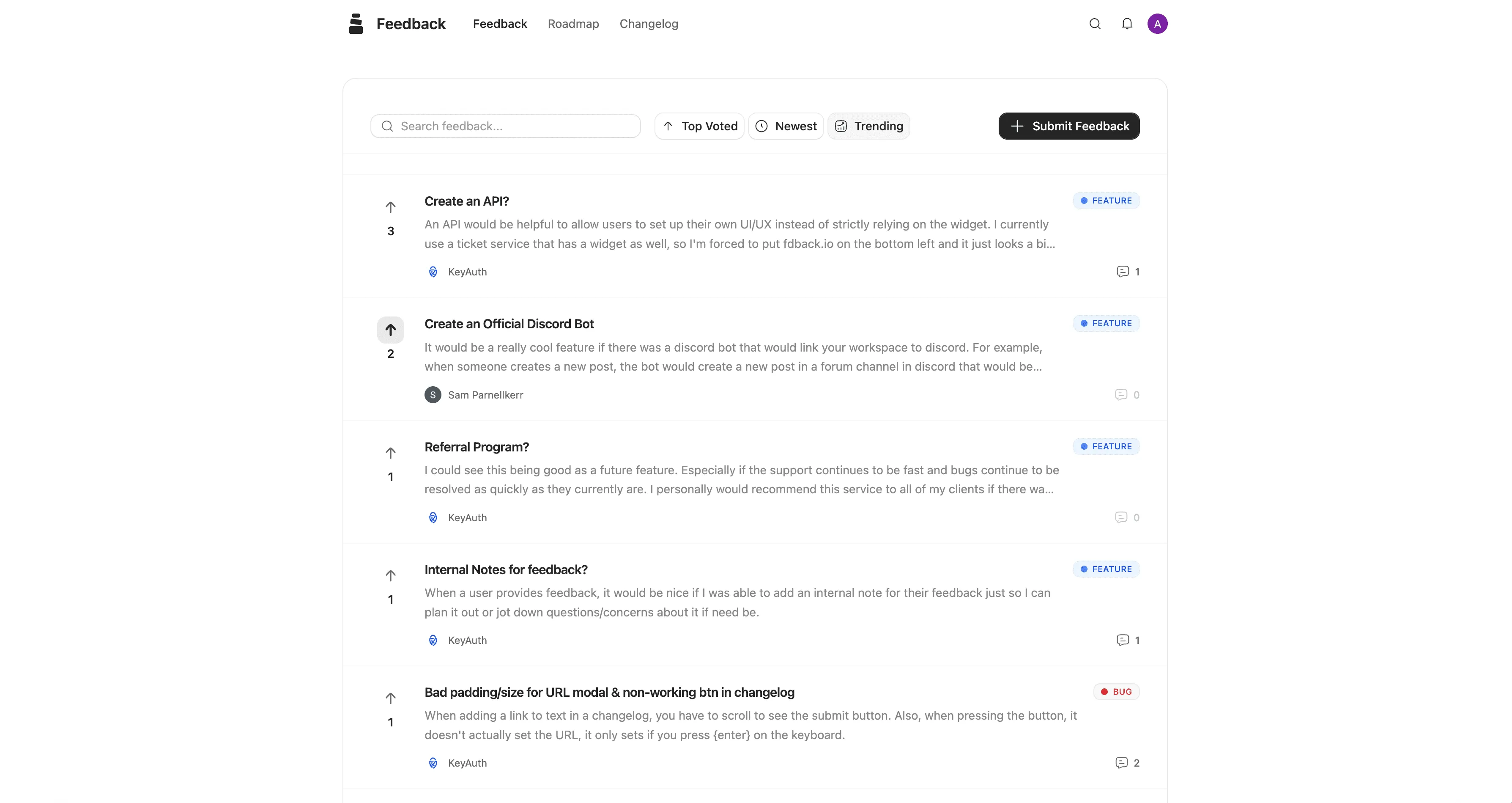
A public roadmap — especially one connected to a feedback board — centralizes this. Users submit ideas in one place. They vote on each other’s ideas. You see what actually matters to your user base, not just what one person asked for on a call.
The data shifts your prioritization from gut feeling to signal. That’s a meaningful upgrade in how you build product.
3. It Builds Trust Through Transparency
There’s a reason companies like Buffer, GitHub, Linear, and Loom all maintain public roadmaps. Transparency signals confidence. It tells users: “We’re not hiding what we’re doing because we believe in where we’re going.”
An 2018 Spiceworks study found that 84% of IT buyers need to trust a technology brand before purchasing. For SaaS products competing on trust — which is most of them — a public roadmap is one of the easiest ways to earn it.
It also helps with sales. When a prospect asks “Do you support X?”, your team can send a link to the roadmap showing X is planned for next quarter. That’s more convincing than a verbal promise.
4. It Creates a Marketing Flywheel
Every item on your public roadmap is a piece of content. Every shipped feature is an announcement. Every status update is a reason for a user to come back and check.
The best public roadmaps become destinations. Users bookmark them. They share them on Twitter. They link to specific items in forum discussions. Your roadmap becomes a living product page that generates traffic and engagement without you writing a single blog post.
What a Public Roadmap Should Include
The biggest fear about public roadmaps is overcommitting. “What if we promise something and don’t deliver?” It’s a valid concern — and the solution is structure.
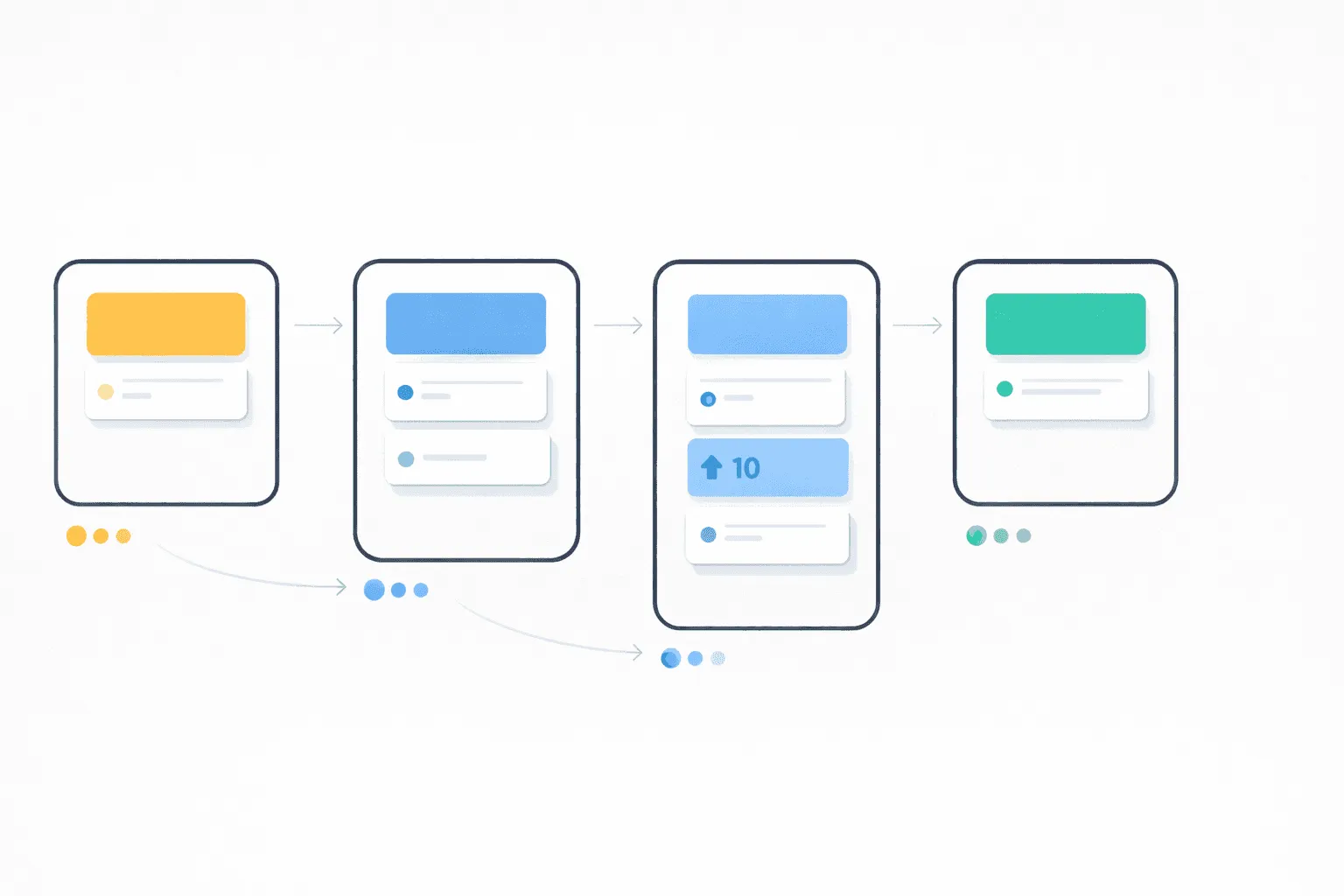
A good public roadmap uses status columns, not dates. Here’s the format most SaaS teams use:
The Standard Kanban Layout
Under Consideration → Planned → In Progress → Shipped
Each column communicates a different level of commitment:
-
Under Consideration — “We’ve heard this request and we’re evaluating it.” No commitment. This is where user-submitted feedback lives after it’s been reviewed. It tells users you’re listening without promising anything.
-
Planned — “We’ve decided to build this.” It’s on the list, but work hasn’t started. This is a soft commitment — you intend to build it, but priorities can shift.
-
In Progress — “We’re actively working on this right now.” This is the exciting column. Users can see real-time progress.
-
Shipped / Complete — “Done. It’s live.” This is where you link to your changelog entry and notify everyone who voted. The feedback loop is closed.
Notice what’s missing: dates. No “Q2 2026” labels. No “March release” promises. The column structure communicates progress without creating deadlines you can’t control. If something moves from Planned back to Under Consideration, that’s fine — the status tells the story.
What to Keep Off the Public Roadmap
Not everything belongs on a public roadmap. Keep these internal:
-
Technical debt and refactoring — Users don’t care that you’re rewriting your auth system. They care that login works. Internal improvements should stay internal.
-
Competitive features you haven’t announced — If you’re building something that would tip off competitors, keep it private until it’s close to shipping.
-
Speculative ideas — Things your team discussed once in a brainstorm but hasn’t validated. Putting these on a public roadmap creates expectations you may never fulfill.
-
Specific timelines — Avoid dates. Use the status columns instead.
A simple rule: if it matters to users and you’re reasonably confident you’ll build it, put it on the public roadmap. If it’s internal plumbing or a long shot, keep it off.
Public Roadmap Examples: How Real Companies Do It
Looking at how successful SaaS companies structure their public roadmaps can help you design your own. Here are several approaches that work:
The Kanban Board (Most Common)
Companies like Buffer, Linear, and Featurebase use a simple kanban layout with columns for each status. Items are cards that users can click into for details, vote on, and comment on.
This is the most popular format because it’s intuitive. Anyone who’s used Trello or a project board understands the left-to-right flow immediately. It works well for products with a steady stream of feature requests.
The Categorized List
Atlassian and Microsoft use categorized lists organized by product area. This works better for larger companies with multiple product lines. Users filter to the product they care about and see what’s coming.
If you have a complex product with distinct modules, categories help users find what’s relevant to them without scrolling through unrelated items.
The Now / Next / Later Format
Some teams use Now / Next / Later instead of the standard kanban. This removes even the soft commitment of “Planned” and replaces it with time horizons:
-
Now — Actively building this
-
Next — Coming in the near future
-
Later — On our radar, no timeline
This format is popular with teams that want maximum flexibility. It’s especially useful early on when priorities shift frequently.
The Roadmap + Feedback Board Combo
This is the most effective approach for product-led SaaS companies. The roadmap is connected to a feedback board where users submit and vote on ideas. When you move an idea from the feedback board to the roadmap, voters see the status change. When you ship it, they get notified.
This creates a complete feedback loop: Submit → Vote → Planned → In Progress → Shipped → Notified.
Tools like fdback, Canny, and Frill support this workflow. The key advantage is that your roadmap isn’t a static document — it’s a living system connected to real user demand.
CONTENT 2: How to Build It + Common Mistakes
How to Build Your Public Product Roadmap (Step by Step)
You can launch a public roadmap in under an hour. Here’s the practical, step-by-step process.
Step 1: Choose Your Tool
You have three main options:
Dedicated roadmap tools — Purpose-built for public roadmaps with feedback boards, voting, changelogs, and notifications. Examples: fdback, Canny, Frill, Productboard, Nolt. These are the fastest to set up and require no technical work.
Project management tools — Trello, Notion, or Linear with a public board. These work but have downsides: users often need to create accounts on the platform, there’s no built-in voting, and you’re mixing your internal workflow with your public-facing roadmap.
Custom-built — A page on your website that you update manually. Maximum control, maximum maintenance. Only makes sense if you have very specific design requirements and engineering time to spare.
For most SaaS teams, a dedicated tool is the right choice. You get voting, notifications, a changelog, and a polished public page without any development work.
What to look for in a roadmap tool:
| Feature | Why It Matters |
|---|---|
| Public voting | Users prioritize features for you |
| Custom domain | feedback.yourdomain.com looks professional |
| Changelog | Close the loop when you ship |
| Auto-notifications | Voters know when their feature ships |
| Embeddable widget | Collect feedback inside your app |
| Integrations (Slack, Linear) | Feedback flows to where you work |
| No per-seat pricing | Your whole team should have access |
Step 2: Set Up Your Status Columns
Start with the standard four: Under Consideration, Planned, In Progress, Shipped.
You can customize these labels to match your team’s language. Some teams use “Reviewing” instead of “Under Consideration,” or “Live” instead of “Shipped.” The names don’t matter — the progression does.
Avoid adding too many columns. Five is the maximum before it gets confusing for users. The goal is clarity, not granularity.
Step 3: Seed It With Existing Ideas
Don’t launch an empty roadmap. Before going public, add 10–20 items across your columns:
-
3–5 items in Shipped — Features you’ve recently completed. This shows momentum and gives users confidence you actually ship.
-
3–5 items in In Progress — What you’re actively building. This creates excitement.
-
5–10 items in Planned or Under Consideration — Ideas you know are coming or that you’ve heard from users. This shows your vision.
Pull these from your existing backlog, support tickets, user interviews, and team discussions. You already know what your users want — you just haven’t put it in a public place yet.
Step 4: Connect It to a Feedback Board
A roadmap without a feedback board is a one-way broadcast. A roadmap with a feedback board is a conversation.
Set up a feedback board where users can submit ideas, vote, and comment. When an idea gets enough traction, move it to your roadmap. This creates a natural pipeline:
Feedback Board (raw ideas) → Under Consideration (reviewed) → Planned (committed) → In Progress (building) → Shipped (done)
The feedback board also gives you data. Instead of guessing what to build next, you can look at vote counts and see which features your users actually want. This doesn’t mean you should build whatever has the most votes — but it’s a powerful input to your prioritization process.
Step 5: Set Up Notifications
This is the step most teams skip, and it’s the most valuable one.
When you move an item to “Shipped,” every user who voted for it should get an email: “The feature you requested is now live.” This is the highest-ROI notification you can send. It tells users: “We listened. We built it. It’s here.”
These notifications drive reactivation (users who churned or went quiet come back to try the new feature), reduce churn (users who were waiting for a feature see it’s done), and generate word-of-mouth (users share the update with their teams).
If your roadmap tool has a changelog, link the shipped item to a changelog entry that explains what you built and how to use it.
Step 6: Share It Publicly
Once your roadmap is seeded and your feedback board is ready, make it public:
-
Add a “Roadmap” link to your website navigation or footer
-
Set up a custom domain like roadmap.yourdomain.com or feedback.yourdomain.com
-
Mention it in your onboarding emails (“See what we’re building next →”)
-
Share it in your community channels (Slack, Discord, Twitter)
-
Add an in-app widget so users can submit feedback without leaving your product
The more visible your roadmap is, the more participation you’ll get. And more participation means better signal.
Step 7: Keep It Updated
A stale roadmap is worse than no roadmap. If users see the same items in “In Progress” for six months, they lose trust.
Set a weekly rhythm: spend 15 minutes every week updating statuses, reviewing new feedback, and moving items between columns. If something shifts from Planned back to Under Consideration, that’s fine — just move it. Users prefer honesty over frozen optimism.
Common Mistakes to Avoid
Building a public roadmap is simple. But there are a few traps that can undermine the effort:
Mistake 1: Adding Dates and Deadlines
The moment you put “Q2 2026” next to a feature, it becomes a promise. If Q2 comes and goes without the feature, users feel misled. Use status columns instead of dates. They communicate progress without creating commitments you can’t control.
Mistake 2: Putting Everything on the Roadmap
Your internal backlog might have 200 items. Your public roadmap should have 15–30. Be selective. Only include items that are meaningful to users and that you’re reasonably confident about. A bloated roadmap is overwhelming and makes it impossible for users to find what matters.
Mistake 3: Ignoring Feedback After Collecting It
If users submit ideas and vote on them but nothing ever moves, they stop participating. Acknowledge submissions, respond to comments, and visibly move items through the pipeline. Even a simple “Thanks, we’re reviewing this” goes a long way.
Mistake 4: Building Only What Gets the Most Votes
Votes are an input, not a mandate. Some critical features (security, performance, infrastructure) will never get votes because users don’t think about them. Some highly-voted features might not align with your product strategy. Use votes as one signal among many.
Mistake 5: Launching an Empty Roadmap
An empty roadmap tells users: “We have no plan.” Always seed it with existing items before making it public. Even 10 items give users something to engage with.
Mistake 6: Hiding It Behind a Login
Your public roadmap should be truly public — no account required to view it. Let anyone see what you’re building. Gate submissions behind a lightweight sign-in (Google or magic link), but never gate viewing. Prospects who are evaluating your product should be able to see your roadmap without creating an account.
Public Roadmap Tools: What to Use
There are dozens of tools that support public roadmaps. Here’s how the main options compare for SaaS teams.
Dedicated Feedback + Roadmap Tools
These are purpose-built for the feedback → roadmap → changelog workflow:
| Tool | Starting Price | Free Plan | Changelog | Voting | Key Difference |
|---|---|---|---|---|---|
| fdback | $15/month flat | ✅ Full features | ✅ | ✅ | Flat pricing, AI features included, focused on feedback loop |
| Canny | $99/month | ✅ (25 tracked users) | ✅ | ✅ | Per-tracked-user pricing, popular with larger teams |
| Frill | $25/month | ❌ | ✅ | ✅ | 50-idea cap on lower plans |
| Nolt | $25/month per board | ❌ | ❌ | ✅ | Simple but no changelog or AI |
| Featurebase | $29/seat/month | ✅ (1 seat) | ✅ | ✅ | Full support suite included, per-seat pricing |
| Productboard | $19/maker/month | ❌ | ✅ | ✅ | Enterprise product management, complex |
| UserVoice | $899/month | ❌ | ✅ | ✅ | Enterprise-grade, high price point |
Project Management Tools (Adapted for Public Use)
| Tool | Public Roadmap Support | Voting | Changelog | Downsides |
|---|---|---|---|---|
| Trello | ✅ (public boards) | ⚠️ (limited) | ❌ | Users need Trello accounts to vote |
| Notion | ✅ (published pages) | ❌ | ❌ | No voting, no notifications, manual updates |
| Linear | ✅ (public projects) | ❌ | ❌ | Designed for internal use, limited public features |
| GitHub Projects | ✅ (public repos) | ❌ | ❌ | Technical audience only |
The key question is whether you want a broadcast roadmap (one-way, view-only) or an interactive roadmap (voting, feedback, notifications). For SaaS companies trying to reduce churn and build user trust, the interactive approach is significantly more effective.
Closing the Loop: Roadmap → Changelog → Notification
The public roadmap is only half of the system. The other half is what happens when you ship.
Here’s the complete feedback loop that the best SaaS teams run:
1. User submits feedback — On your feedback board, a user writes: “I need dark mode.”
2. Others vote — 47 other users upvote the idea. It rises to the top of your board.
3. You move it to Planned — After reviewing, you decide to build dark mode. You drag it to the Planned column on your roadmap. Voters see the status change.
4. You start building — Move it to In Progress. Users who are following the item see that work has begun.
5. You ship it — Move it to Shipped. Create a changelog entry: “Dark mode is live. Here’s how to enable it.”
6. Voters get notified — Everyone who voted for dark mode receives an email: “Great news! Dark mode has been shipped.” The email links to the changelog entry.
7. Users come back — They try the feature. Some share it on social media. Some submit new feedback. The cycle repeats.
This loop is why tools with a changelog and automatic notifications outperform tools without them. The notification email is the moment where passive voters become active, engaged users. It’s the ROI moment of your entire feedback system.
Without a changelog, the loop breaks at step 5. Users never find out you shipped what they asked for. You did the hard work of building the feature — the notification is the easy part that captures the value.
The Hidden SEO Benefit of Public Roadmaps
Here’s something most teams don’t realize: a public roadmap under your domain generates indexed pages that build your SEO authority.
If your roadmap lives at feedback.yourdomain.com, every feedback item and changelog entry creates a unique URL that Google can index. Over time, this generates impressions and backlinks under your domain umbrella. It’s passive SEO that compounds over time.
This is especially valuable for early-stage SaaS companies that are building domain authority. Your roadmap isn’t just a product tool — it’s a content engine that works in the background.
Frequently Asked Questions
What is a public product roadmap?
A public product roadmap is a page where anyone can see what a company is currently building, what’s planned next, and what’s been recently shipped. Unlike internal roadmaps used by product teams for planning, public roadmaps are visible to customers, prospects, and the general public. They’re typically organized as a kanban board with status columns like Under Consideration, Planned, In Progress, and Shipped.
Should I make my product roadmap public?
For most SaaS companies, yes. A public roadmap builds trust, reduces churn (users can see you’re working on what they need), generates feedback that improves your prioritization, and creates a marketing asset that prospects can browse. The main concern — overcommitting — is solved by using status columns instead of dates.
What should I include on a public roadmap?
Include features and improvements that matter to your users and that you’re reasonably confident about building. Use 15–30 items across your status columns. Keep internal items like technical debt, security improvements, and speculative ideas off the public roadmap.
Should I put dates on my public roadmap?
No. Use status columns (Under Consideration, Planned, In Progress, Shipped) instead of dates. Dates create commitments that damage trust when missed. Status columns communicate progress without locking you into timelines you can’t control.
What’s the best public roadmap tool for a SaaS startup?
For startups, look for a tool that includes a feedback board, voting, a changelog with auto-notifications, and flat pricing. Tools like fdback offer all of this starting with a free plan and $15/month for Pro. Avoid tools with per-seat or per-user pricing that scale unpredictably as your team and user base grow.
How often should I update my public roadmap?
Weekly. Spend 15 minutes reviewing new feedback, updating statuses, and moving items between columns. A stale roadmap where nothing moves for months undermines trust. Even small updates — moving one item from Planned to In Progress — show users that development is active.
How is a public roadmap different from a changelog?
A roadmap shows what’s coming. A changelog shows what’s shipped. They work together: the roadmap builds anticipation, and the changelog delivers on it. The best workflow connects both — when you ship a roadmap item, it becomes a changelog entry, and voters get notified automatically.
Can a public roadmap help with SEO?
Yes. A public roadmap under your domain (like feedback.yourdomain.com) creates indexed pages that build domain authority over time. Each feedback item and changelog entry is a unique URL that Google can crawl. For early-stage SaaS companies, this is a passive SEO benefit that compounds.
Start Your Public Roadmap Today
Here’s the fastest path from zero to a live public roadmap:
-
Sign up for a free feedback tool — fdback.io gives you a feedback board, public roadmap, and changelog on the free plan. No credit card, no seat limits.
-
Seed your roadmap with 10–20 items — Pull from your backlog, support tickets, and user conversations. Put 3–5 in Shipped, 3–5 in In Progress, and the rest in Planned or Under Consideration.
-
Share it publicly — Add a “Roadmap” link to your site navigation. Set up a custom domain. Mention it in your onboarding flow.
-
Collect your first feedback — Drop the feedback widget into your app. Share the board with your community. Watch what your users actually want.
-
Ship something and close the loop — Move an item to Shipped, write a changelog entry, and let the notifications go out. That’s the moment your roadmap stops being a document and starts being a system.
Your users already have opinions about what you should build next. A public roadmap gives them a place to share those opinions — and gives you a system to act on them.
More insights to explore

Featurebase Pricing Explained: What You Actually Pay in 2026
Featurebase runs $29–$99 per seat monthly, plus $0.49 per AI resolution and $69/mo to remove branding. Real totals by team size — and a $15 flat alternative.
Frill Pricing Explained: What You Actually Pay in 2026
Frill starts at $25/mo, but surveys, privacy add-ons and white-label raise the real bill. Full 2026 cost breakdown plus a $15/mo flat alternative.
How to Say No to a Feature Request Without Losing the Customer
Learn how to say no to a feature request without losing customer trust. Includes the anatomy of a good no and copy-paste templates for every case.

How to Collect and Prioritize Feature Requests for a SaaS Product
Complete framework for collecting and prioritizing feature requests. Includes voting boards, scoring models, and tools that close the loop

Canny Pricing Explained: What You Actually Pay in 2026
Canny retired its $19 Core plan — paid now starts at $79/month and climbs with tracked users. Real 2026 costs, plan limits, and flat-rate alternatives.
How Much Does Claude Code Actually Cost?
A practical breakdown of Claude Code pricing — Free, Pro ($20/mo), Max ($100/$200/mo), and Team plans.