SaaS Changelog Best Practices: The Complete Guide to Product Updates That Reduce Churn
15 min readUpdated July 21, 2026
On this page▾
- Why Most SaaS Changelogs Fail
- What Belongs in a Product Changelog
- How to Write Changelog Entries That People Actually Read
- Real Changelog Examples Worth Studying
- How to Set Up a SaaS Changelog in 7 Steps
- Closing the Loop: From Feedback to Changelog
- 8 Mistakes That Kill Your Changelog
- Changelog Tools Compared
- The SEO Benefit Nobody Talks About
- How to Measure Changelog Success
- FAQ
- Stop Shipping in Silence
Your team ships a feature that three dozen customers asked for. You push it to production, close the Jira ticket, and move on. A week later, one of those customers cancels because they “didn’t see anything new in the product.”
This happens more than SaaS teams want to admit. Building great features is only half the job. If your customers don’t know about them, those features may as well not exist.
A product changelog fixes this. It’s a public, chronological record of everything you ship — new features, improvements, bug fixes, and deprecations. Done well, it becomes one of your most effective tools for reducing churn, driving feature adoption, and showing prospects that your product is actively improving.
This guide covers how to set up a changelog that actually works, what to write in it, and how to connect it to your feedback board and public roadmap so every update closes the loop with the customers who asked for it.
Why Most SaaS Changelogs Fail
Before covering best practices, it’s worth understanding why changelogs go wrong. The typical failure mode looks like this: a team launches a changelog page, publishes three or four entries with enthusiasm, then forgets about it for two months. When someone finally updates it, the entry reads like a commit message — “Fixed edge case in webhook handler” — that means nothing to 95% of users.
The root cause is usually one of three things. The changelog is treated as a developer task rather than a communication tool. There’s no process for writing entries as part of the release cycle. Or it’s disconnected from the rest of the product communication — nobody who voted for a feature on the feedback board gets notified when it ships.
A changelog that works requires treating it as the final step in your feedback loop, not as an afterthought tacked onto deployment.
What Belongs in a Product Changelog
A common mistake is treating the changelog as a dumping ground for every commit or pull request. Users don’t care about internal refactors or dependency bumps. They care about things that change their experience.
Include: new features, meaningful UI changes, integrations, performance improvements users will notice, bug fixes that affected real users, pricing or plan changes, and deprecations or breaking changes with migration guidance.
Exclude: internal refactors with no user-facing impact, minor copy changes, backend optimizations users won’t notice, and anything that requires internal context to understand.
The goal is to answer one question from the user’s perspective: “What can I do now that I couldn’t do yesterday?”
How to Write Changelog Entries That People Actually Read
The biggest difference between changelogs people read and changelogs people ignore is the writing. Most SaaS changelogs are written for the engineering team, not for the customer. Here’s how to fix that.
Lead with the benefit, not the feature. Instead of “Added CSV export to the reports dashboard,” write “Export any report as a CSV file — download it from the Reports tab.” The first version describes what your team built. The second tells the user what they can now do.
Use plain language. If a non-technical customer can’t understand the entry, rewrite it. “Implemented WebSocket-based real-time sync” becomes “Changes now sync instantly across all open tabs — no more refreshing.” Save technical details for a linked release notes page or developer changelog if you need one.
Keep entries scannable. Most users skim changelogs. Structure each entry with a clear title, one to two sentences of context, and optionally a screenshot or short GIF showing the change in action. Beamer, Slack, and Loom all do this well — their changelogs feel like quick updates from a colleague, not documentation.
Categorize consistently. Use a small set of labels that users learn to recognize: New Feature, Improvement, Bug Fix, and Breaking Change cover most SaaS products. Avoid over-categorizing with ten different labels — it creates noise instead of clarity.
Include a call to action. If you shipped a new feature, link directly to it. “Try it now” or “See it in your dashboard” turns a passive notification into an activation moment. This is one of the simplest ways to drive feature adoption, and most changelogs miss it entirely.
Real Changelog Examples Worth Studying
Looking at how established SaaS companies handle changelogs reveals patterns worth copying.
Linear keeps entries short and benefit-focused. Each one has a clear title, a single paragraph of context, and a screenshot. They categorize updates with simple labels and maintain a weekly cadence that’s frequent enough to feel active without overwhelming users.
Slack uses a friendly, conversational tone that matches their brand. Their changelog entries read like they’re telling you about something cool, not filing a report. They also color-code categories so users can visually scan for the type of update they care about.
Notion takes a different approach — longer, more detailed entries that read almost like mini-blog posts. This works because their user base is engaged enough to read longer updates. They also use embedded videos to walk users through complex changes.
What they all have in common: they write for users, not for engineers. They include visuals. They maintain a consistent publishing cadence. And they make the changelog easy to find — usually accessible from the main navigation, not buried in a help center.
The pattern you’ll notice is that none of them just list what changed. They explain why it matters.
How to Set Up a SaaS Changelog in 7 Steps
Step 1: Choose Where Your Changelog Lives
You have three options: a standalone page on your marketing site (like yourapp.com/changelog), an in-app widget that shows updates inside the product, or both. The best approach is both — the public page helps prospects see that your product is actively developed, while the in-app widget ensures existing users see updates where they’re already spending time.
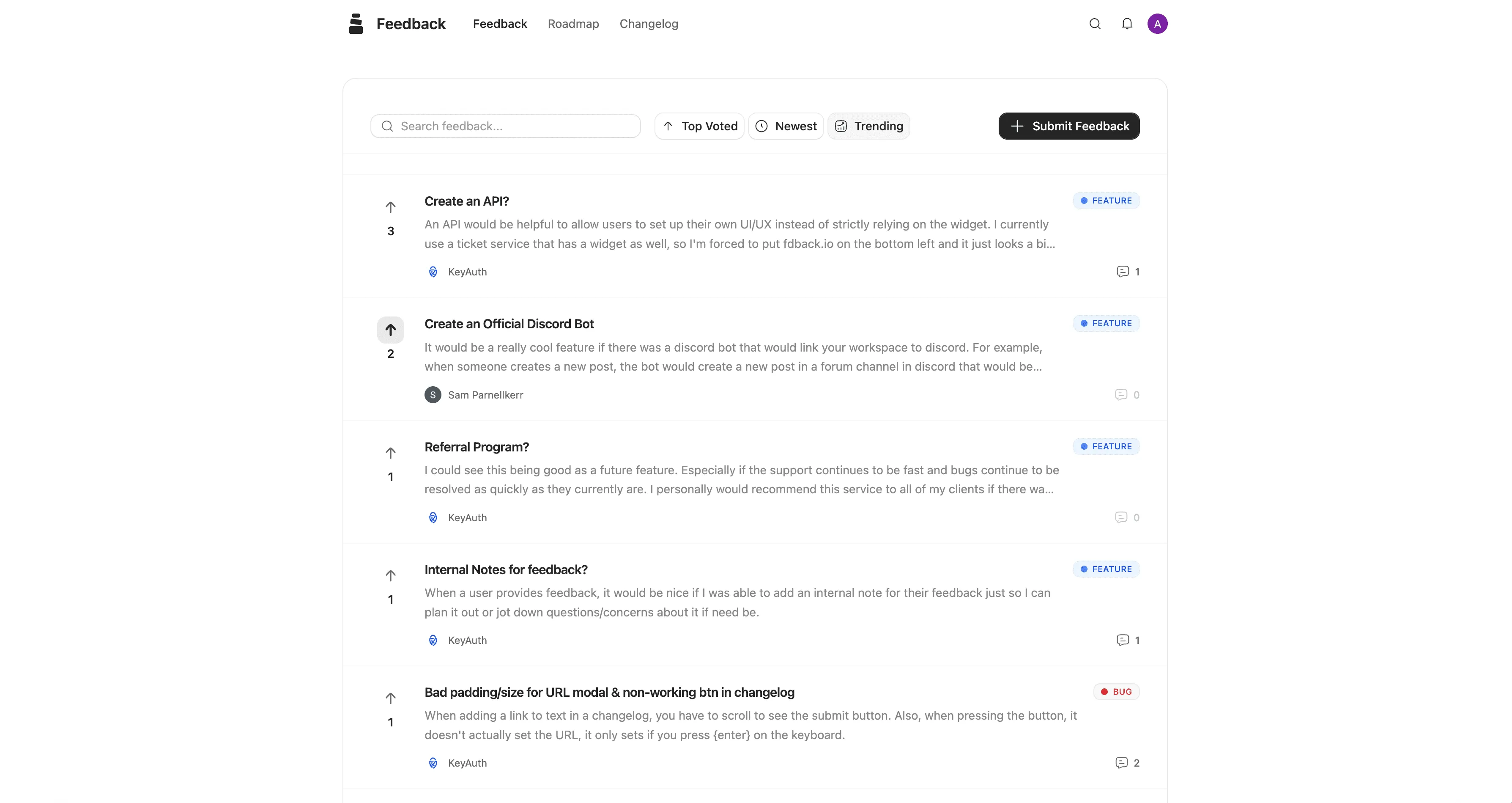
If you’re using a feedback and roadmap tool like fdback, the changelog is built in alongside your feedback board and roadmap. This matters because it means updates are automatically connected to the features users requested — more on that in the “closing the loop” section below.
Step 2: Define Your Categories
Pick three to five categories and stick with them. A good starting set: New Feature for entirely new capabilities, Improvement for enhancements to existing features, Bug Fix for resolved issues, and Breaking Change for anything that requires user action. Some teams add an Integration category if they frequently ship new integrations.
Resist the urge to add more categories over time. The goal is to help users filter quickly, not to create a taxonomy.
Step 3: Create a Publishing Process
The changelog entry should be written as part of the release process, not after it. The simplest approach: whoever owns the feature writes a draft changelog entry before the release goes out. A product manager or marketing person reviews it for clarity and tone. It gets published the same day the feature ships.
If your team doesn’t have a formal release process, even a simple rule helps — “no feature ships without a changelog entry” is enough to build the habit.
Step 4: Write Your First 5 Entries
Don’t launch an empty changelog. Before making it public, write entries for your last five notable updates. This gives the page substance and establishes the tone and format you’ll follow going forward. Backdate them to their actual ship dates.
Step 5: Set Up Notifications
A changelog nobody sees is useless. Configure notifications so users learn about updates through at least two channels: an in-app widget that shows a badge or dot when new updates are available, and email digests (weekly or bi-weekly, not per-update unless it’s a major release). Some tools also support Slack or Discord notifications for teams that live in those platforms.
Step 6: Connect It to Your Feedback Board and Roadmap
This is where most changelogs fall short, and where the real value lives. When you ship a feature that users requested on your feedback board, you should be able to update the status on your public roadmap, publish a changelog entry, and notify every user who voted for that feature — ideally in one action.
This is the complete feedback loop: a user submits a request → others vote on it → it appears on the roadmap as “Planned” → moves to “In Progress” → ships with a changelog entry → voters get notified that their request is live.
When users experience this loop even once, it fundamentally changes how they see your product. They go from “I submitted feedback into a void” to “this team actually listens and builds what I ask for.” That’s a retention mechanism that no amount of marketing can replicate.
Step 7: Publish Consistently
Frequency matters more than volume. A changelog updated every week or two with small entries signals active development. A changelog updated once a quarter with a massive dump of changes suggests the team doesn’t prioritize communication.
If you don’t have enough major features for weekly updates, include notable bug fixes and improvements. “We fixed the search lag that some users reported on large workspaces” is a perfectly good changelog entry — it shows you’re listening and actively maintaining the product.
Closing the Loop: From Feedback to Changelog
The most powerful thing a changelog can do is close the communication loop with your users. Here’s the full flow and why each step matters.
It starts with someone submitting a feature request through your feedback board. Other users find it and upvote it, creating a signal of demand. Your team reviews the requests, and the ones you commit to building move to “Planned” on your public roadmap. As development starts, the status updates to “In Progress.” When the feature ships, you publish a changelog entry — and here’s the critical step — every user who voted for that feature gets a notification saying “The feature you requested is now live.”
This notification is the highest-value touchpoint you can create. The user feels heard. They’re reminded that your product is improving specifically because of their input. And they’re prompted to go try the new feature immediately, which drives adoption.
Without this loop, you get the opposite: users submit feedback, hear nothing back, assume nobody read it, and eventually churn. They never know that the feature they asked for shipped three months ago.
Tools like fdback are built around this loop. The feedback board, roadmap, and changelog are connected so that updating a feature’s status to “Shipped” automatically triggers notifications to voters. Compare this to using separate tools for feedback (one tool), roadmap (a Notion page), and changelog (another tool) — the loop breaks because nothing is connected.
If you want to understand why this loop matters for retention, our guide on the SaaS feedback loop covers the data behind it.
8 Mistakes That Kill Your Changelog
1. Writing for engineers, not users. “Refactored the authentication middleware to support OAuth 2.1 PKCE flow” means nothing to your customer. Write: “Signing in is now faster and more secure.”
2. Publishing inconsistently. A three-month gap between entries makes your product look abandoned. Even small updates count — ship them.
3. Burying it where nobody can find it. If your changelog lives at docs.yourapp.com/resources/updates/changelog, nobody will visit it. Put it in the main navigation or behind an in-app notification bell.
4. No visuals. A wall of text doesn’t communicate change. A single screenshot or 10-second GIF showing the new feature in action is worth more than three paragraphs of description.
5. Skipping bug fixes. Users notice bugs. When you fix them, say so. “We fixed the issue where exports would timeout on large datasets” tells users you’re aware of problems and actively solving them. It builds more trust than only announcing shiny new features.
6. Not notifying anyone. Publishing an entry and hoping users stumble onto it defeats the purpose. Use in-app notifications, email digests, or both.
7. No connection to feedback. If users asked for a feature and you built it, tell them. “You asked, we built it” is the most powerful changelog format.
8. Treating it as a one-way broadcast. The best changelogs allow reactions, comments, or at least a way for users to say “this is great” or “I have questions.” This turns a passive update into a conversation.
Changelog Tools Compared
If you’re choosing a tool for your product changelog, here’s how the main options stack up. The key difference is whether the changelog is standalone or part of a connected feedback-to-roadmap pipeline.
| Feature | fdback | Beamer | Canny | Headway |
|---|---|---|---|---|
| Changelog | ✅ | ✅ | ✅ | ✅ |
| In-app widget | ✅ | ✅ | ✅ | ✅ |
| Feedback board | ✅ | ✅ (limited) | ✅ | ❌ |
| Public roadmap | ✅ | ❌ | ✅ | ❌ |
| Voter notifications on ship | ✅ | ❌ | ✅ | ❌ |
| Custom domain | ✅ | ✅ | ✅ | Paid only |
| Connected feedback loop | ✅ | ❌ | ✅ | ❌ |
| Starting price | $15/mo flat | $49/mo | $99/mo | Free (limited) |
Beamer is the most established changelog-specific tool. It excels at in-app notifications, push notifications, and segmented announcements. But it’s primarily a one-way broadcast tool — there’s no public roadmap, and the feedback functionality is limited. At $49/month for the starter plan, it’s a significant investment for a tool that only handles part of the communication pipeline.
Canny offers the full loop (feedback → roadmap → changelog) but starts at $99/month and charges per seat on higher plans. For larger teams, costs scale quickly.
Headway is a simple, free changelog tool. Good for getting started, but it’s just a changelog — no feedback collection, no roadmap, no voter notifications.
fdback connects all three — feedback board, public roadmap, and changelog — for $15/month flat with no per-seat pricing. When a feature moves to “Shipped,” voters get notified automatically. For indie founders and small SaaS teams who need the full loop without enterprise pricing, it’s the most cost-effective option.
The choice depends on what you need. If you only need a changelog widget and already have feedback and roadmap tools, Beamer works well. If you want the full connected pipeline without paying $99+/month, fdback is built for that.
The SEO Benefit Nobody Talks About
Here’s a side benefit of maintaining a public changelog: every entry creates indexed content under your domain. Each changelog post targets long-tail keywords naturally — “dark mode support,” “CSV export,” “Slack integration” — because you’re describing real features.
Over time, this creates a growing library of pages that capture search traffic for feature-specific queries. Someone searching “does [your product] support CSV export” might land on your changelog entry that announces it. That’s a low-effort acquisition channel that compounds with every update you publish.
This works even better when your changelog is connected to a public roadmap. Roadmap items capture “does [product] plan to add X” searches, while changelog entries capture “does [product] have X” searches. Together, they cover both the intent to evaluate and the intent to confirm.
How to Measure Changelog Success
Publishing consistently is necessary but not sufficient. You need to know if the changelog is actually working. Here are the metrics that matter.
View rate tells you whether users are finding the changelog. If you have an in-app widget, track how many users click it per week. If views are low, the widget might not be prominent enough, or your notification dots aren’t working.
Feature adoption after announcement is the most important metric. When you ship a feature and announce it in the changelog, do users actually try it? Track activation events for new features in the days following a changelog entry. If adoption doesn’t spike after announcements, your entries might not be compelling enough, or the call-to-action isn’t clear.
Feedback-to-ship notification engagement measures how voters respond when they’re told a requested feature shipped. Do they click through? Do they try the feature? High engagement here confirms your feedback loop is working. Low engagement might mean notifications are getting lost or the feature didn’t match what users expected.
Churn correlation is harder to measure but valuable. Compare churn rates between users who engage with the changelog (read entries, click through) and users who don’t. If the changelog is effective, engaged users should churn significantly less.
FAQ
What’s the difference between a changelog and release notes?
A changelog is a running, chronological record of all product changes — typically concise and scannable. Release notes are more detailed write-ups for specific versions or major launches, often including context, migration guides, and technical details. Most SaaS products benefit from both: a changelog for ongoing updates and longer release notes for major versions.
How often should I update my SaaS changelog?
Weekly to bi-weekly works well for most SaaS products. The key is consistency — users should be able to expect updates at a regular cadence. If you’re shipping daily, batch small changes into weekly roundups rather than publishing every single fix.
Should bug fixes go in the changelog?
Yes, especially bugs that users reported or that affected the user experience. Including bug fixes shows users you’re actively maintaining the product and listening to their reports. You can skip purely internal fixes that users never noticed.
How long should a changelog entry be?
Two to four sentences is ideal for most entries. Lead with the benefit, explain briefly what changed, and include a link or CTA. Major features might warrant a longer entry with a screenshot or video. The goal is scannable, not comprehensive.
Do I need a separate changelog tool?
Not necessarily. If you already use a feedback and roadmap tool that includes a changelog (like fdback or Canny), adding a separate changelog tool creates fragmentation. The value of a connected tool is that feedback, roadmap, and changelog share data — so voter notifications happen automatically when you mark something as shipped.
Should my changelog be public or private?
Public. A public changelog shows prospects that your product is actively developed and helps existing users stay informed. The only exception would be enterprise products with strict NDA requirements, where a private changelog behind login makes more sense.
How do I get users to actually read the changelog?
Three things: make it accessible (in-app widget with a notification badge), make it relevant (write for users, not engineers), and make it timely (publish entries the same day features ship, not weeks later). Email digests also help reach users who aren’t in the product daily.
Can a changelog reduce churn?
Yes. Changelogs reduce churn in two ways: they remind users that the product is improving (combating the perception of stagnation), and they drive adoption of features users might not discover on their own. When connected to a feedback loop, they also create a sense of partnership — users feel their input directly shapes the product.
Stop Shipping in Silence
Your team builds features every week. Your users should know about every single one. fdback connects your feedback board, public roadmap, and changelog in one tool — so when you ship a feature, the people who asked for it find out automatically.
No per-seat pricing. No enterprise sales calls. Start collecting feedback and publishing updates in minutes.
More insights to explore
The 7 Best Nolt Alternatives in 2026 (Honestly Compared)
Nolt costs $29–69/mo with no free plan and one board on the entry plan. I compare 7 alternatives on pricing, boards, integrations, and the feedback loop.
Public Product Roadmap: The Complete Guide for SaaS Teams
Learn how to build a public product roadmap that reduces churn, builds trust, and turns users into advocates. Step-by-step guide with examples and tools.
Nolt vs Sleekplan 2026: Which Budget Feedback Tool Grows With You?
Nolt is $29/mo for one board with no free plan; Sleekplan starts free but meters seats and views. Which budget feedback tool still fits in a year?

How to Collect and Prioritize Feature Requests for a SaaS Product
Complete framework for collecting and prioritizing feature requests. Includes voting boards, scoring models, and tools that close the loop
Canny vs Aha! 2026: Feedback Tool or Product Management Suite?
Canny is a dedicated feedback tool; Aha! is a strategic PM suite with an ideas portal. Pricing tables, feature overlap, and which one fits your team.
Frill vs Nolt 2026: Idea Caps or Board Caps?
Frill caps ideas and sells add-ons; Nolt caps boards and has no free plan. Both now ship changelogs. Pricing tables, feature gaps, and which one fits.