In-App Feedback Widget for SaaS: The Complete Setup Guide
18 min readUpdated July 21, 2026
On this page▾
- Why In-App Feedback Beats Every Other Method
- In-App Widget vs Other Feedback Methods
- How to Add a Feedback Widget to Your SaaS App
- React and Next.js Integration
- Programmatic Control
- 7 Best Practices for In-App Feedback Widgets
- Connecting the Widget to Your Feedback Loop
- Widget Tools Compared
- FAQ
- Collect Feedback Where Your Users Already Are
There are two ways your users can give you feedback. They can leave your product, navigate to a separate feedback page, log in again, write their idea, and submit it. Or they can click a button inside your app and tell you right there, without leaving what they’re doing.
The second option gets 3-5x more submissions. That’s the case for an in-app feedback widget.
A feedback widget is a small UI element embedded directly in your application — typically a floating button in the corner of the screen that opens a panel for submitting ideas, reporting bugs, and voting on existing requests. The user never leaves your product. The feedback is tied to their account automatically. And because the friction is so low, people actually use it.
This guide covers why in-app feedback outperforms every other collection method, how to set one up (with real code examples), how to handle authentication so feedback is tied to real users, and how to connect the widget to your feature voting board, public roadmap, and changelog so every submission feeds into a complete feedback loop.
Why In-App Feedback Beats Every Other Method
Most SaaS teams collect feedback through a mix of channels: support emails, Slack messages, survey tools, social media mentions, and the occasional user interview. Each channel has its place, but they all share the same problem — the user has to stop what they’re doing, switch context, and go somewhere else to give you feedback.
An in-app widget removes that context switch entirely. Here’s why this matters.
Higher submission rates. When a user hits a frustrating UX flow or thinks of a feature they need, that impulse fades fast. If they have to open a new tab, find your feedback page, and write their idea from memory, most won’t bother. A widget captures the thought in the moment, while the user is staring at the exact screen that triggered it.
Better quality feedback. Feedback given in context is more specific. Instead of “the dashboard needs work,” you get “I need to filter the dashboard by date range — right now I have to export to CSV and filter in Excel.” The user is looking at the problem when they describe it, which leads to actionable requests instead of vague complaints.
Feedback tied to real users. When your widget authenticates users through your app’s existing session, every submission is automatically linked to a real account. You know who asked for what, what plan they’re on, and how active they are. This lets you weight feedback by customer value — a request from your top 10 paying customers carries different weight than one from a free trial user.
Passive collection, always on. Unlike surveys that run for a set period or interviews you have to schedule, a widget is always available. Users can submit feedback whenever inspiration strikes — during onboarding, after hitting a limitation, or right after a successful workflow when they’re thinking “this would be even better if…”
It feeds the feedback loop. When your widget is connected to your feedback board and roadmap, submissions don’t just land in a queue — they become votable ideas that other users can discover and upvote. This turns individual feedback into quantified demand.
In-App Widget vs Other Feedback Methods
Before diving into setup, it helps to understand where a widget fits alongside other feedback channels.
Widgets vs surveys. Surveys are great for measuring satisfaction (NPS, CSAT) and collecting structured responses at specific moments. But they’re time-limited and question-driven — you only learn what you asked about. A widget is open-ended and always available, so users can tell you things you didn’t think to ask. Use surveys for sentiment measurement, widgets for feature discovery.
Widgets vs support tickets. Support tickets capture problems. Feedback widgets capture opportunities. A user who submits a bug report to support is solving an immediate pain point. A user who submits a feature idea through a widget is investing in your product’s future. Both matter, but they serve different purposes.
Widgets vs email and Slack. Email and Slack feedback is unstructured and impossible to deduplicate. If 30 users email the same request, you have 30 separate threads with no aggregate view. A widget that feeds into a voting board collapses those 30 requests into one idea with 30 votes — a clear signal you can act on.
Widgets vs user interviews. Interviews give you depth. Widgets give you breadth. You can’t interview 500 users, but you can collect feedback from all of them through a widget. Use interviews to dig deep into the “why” behind the top-voted ideas on your board.
The best feedback strategy uses multiple methods, but the widget is the foundation — it’s the always-on channel that captures the highest volume of actionable input.
How to Add a Feedback Widget to Your SaaS App
We’ll use fdback for this guide because it connects the widget directly to a voting board, roadmap, and changelog — so feedback doesn’t just get collected, it feeds into a complete loop. The SDK is ~3.7KB, supports React and Next.js natively, and works with any backend through HMAC-SHA256 authentication.
The basic setup takes under 10 minutes.
Step 1: Install the SDK
npm install @fdback.io/sdk # or pnpm add @fdback.io/sdk # or npm install @fdback.io/sdk # or pnpm add @fdback.io/sdk # or npm install @fdback.io/sdk # or pnpm add @fdback.io/sdk # or
No bundler? Use the CDN:
Step 2: Initialize the Widget (Anonymous)
If you want anyone to submit feedback without logging in:
import { widget } from “@fdback.io/sdk”; widget.init({ workspaceId: “your-workspace-id”, });import { widget } from “@fdback.io/sdk”; widget.init({ workspaceId: “your-workspace-id”, });import { widget } from “@fdback.io/sdk”; widget.init({ workspaceId: “your-workspace-id”, });
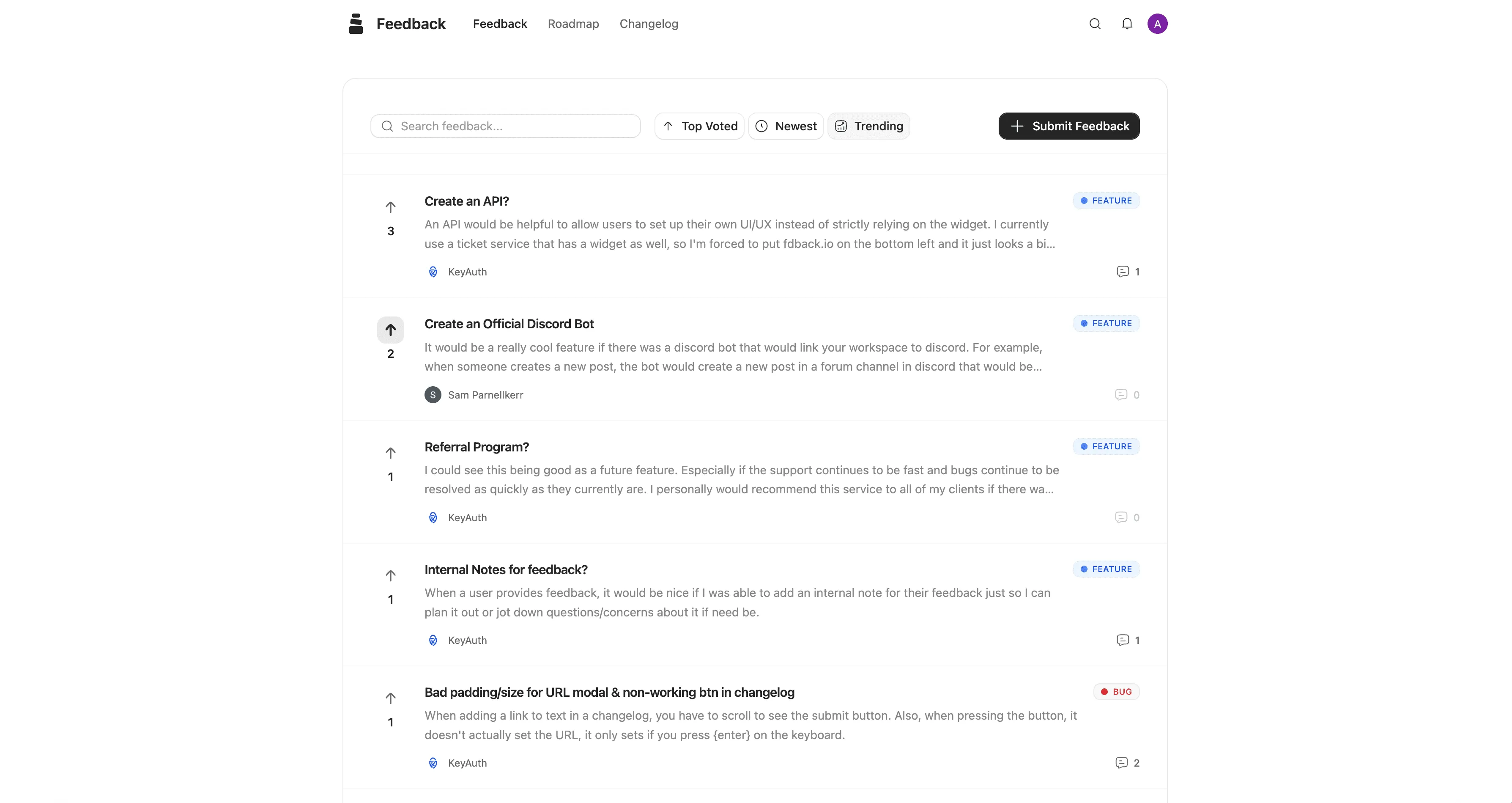
That’s it. A floating button appears in the bottom-right corner. Users click it, a panel opens, and they can submit feedback, browse existing ideas, and vote — all inside your app.
Step 3: Add Authentication (Recommended)
Anonymous feedback has its place, but authenticated feedback is far more valuable. When users are signed in, every submission is tied to their account. You know exactly who asked for what.
The authentication flow works like this: your frontend calls a server endpoint that signs the user’s data with HMAC-SHA256. The signed data is passed to the widget, which validates it and creates an authenticated session.
Set the signEndpoint option to point to your server route:
import { widget } from “@fdback.io/sdk”; widget.init({ workspaceId: “your-workspace-id”, signEndpoint: “/api/fdback/sign”, onAuthenticated: (user) => { console.log(“Authenticated:”, user.email); }, });import { widget } from “@fdback.io/sdk”; widget.init({ workspaceId: “your-workspace-id”, signEndpoint: “/api/fdback/sign”, onAuthenticated: (user) => { console.log(“Authenticated:”, user.email); }, });import { widget } from “@fdback.io/sdk”; widget.init({ workspaceId: “your-workspace-id”, signEndpoint: “/api/fdback/sign”, onAuthenticated: (user) => { console.log(“Authenticated:”, user.email); }, });
The widget calls your endpoint automatically. If the user isn’t logged in to your app (endpoint returns non-200), it falls back to anonymous mode gracefully.
Step 4: Create the Sign Endpoint
Next.js App Router — one line with the built-in helper:
// app/api/fdback/sign/route.ts import { createSignHandler } from “@fdback.io/sdk/next”; import { auth } from ”@/server/auth”; export const POST = createSignHandler({ workspaceId: process.env.FDBACK_WORKSPACE_ID!, workspaceSecret: process.env.FDBACK_WORKSPACE_SECRET!, authorize: async () => !!(await auth())?.user, getUser: async () => { const session = await auth(); if (!session?.user?.email) return null; return { email: session.user.email, name: session.user.name ?? undefined, }; }, });// app/api/fdback/sign/route.ts import { createSignHandler } from “@fdback.io/sdk/next”; import { auth } from ”@/server/auth”; export const POST = createSignHandler({ workspaceId: process.env.FDBACK_WORKSPACE_ID!, workspaceSecret: process.env.FDBACK_WORKSPACE_SECRET!, authorize: async () => !!(await auth())?.user, getUser: async () => { const session = await auth(); if (!session?.user?.email) return null; return { email: session.user.email, name: session.user.name ?? undefined, }; }, });// app/api/fdback/sign/route.ts import { createSignHandler } from “@fdback.io/sdk/next”; import { auth } from ”@/server/auth”; export const POST = createSignHandler({ workspaceId: process.env.FDBACK_WORKSPACE_ID!, workspaceSecret: process.env.FDBACK_WORKSPACE_SECRET!, authorize: async () => !!(await auth())?.user, getUser: async () => { const session = await auth(); if (!session?.user?.email) return null; return { email: session.user.email, name: session.user.name ?? undefined, }; }, });
Express / Node.js:
const crypto = require(“crypto”); app.post(“/api/fdback/sign”, (req, res) => { const user = req.user; // Your auth system if (!user?.email) return res.status(401).json({ error: “Unauthorized” }); const body = JSON.stringify({ email: user.email, name: user.name }); const timestamp = Date.now().toString(); const message = ${timestamp}.${body}; const signature = crypto .createHmac(“sha256”, process.env.FDBACK_WORKSPACE_SECRET) .update(message) .digest(“hex”); res.json({ url: “https://app.fdback.io/api/auth/sdk-login”, headers: { “x-workspace-id”: process.env.FDBACK_WORKSPACE_ID, “x-timestamp”: timestamp, “x-signature”: signature, }, body, expiresAt: Date.now() + 5 * 60 * 1000, }); });const crypto = require(“crypto”); app.post(“/api/fdback/sign”, (req, res) => { const user = req.user; // Your auth system if (!user?.email) return res.status(401).json({ error: “Unauthorized” }); const body = JSON.stringify({ email: user.email, name: user.name }); const timestamp = Date.now().toString(); const message = ${timestamp}.${body}; const signature = crypto .createHmac(“sha256”, process.env.FDBACK_WORKSPACE_SECRET) .update(message) .digest(“hex”); res.json({ url: “https://app.fdback.io/api/auth/sdk-login”, headers: { “x-workspace-id”: process.env.FDBACK_WORKSPACE_ID, “x-timestamp”: timestamp, “x-signature”: signature, }, body, expiresAt: Date.now() + 5 * 60 * 1000, }); });const crypto = require(“crypto”); app.post(“/api/fdback/sign”, (req, res) => { const user = req.user; // Your auth system if (!user?.email) return res.status(401).json({ error: “Unauthorized” }); const body = JSON.stringify({ email: user.email, name: user.name }); const timestamp = Date.now().toString(); const message = ${timestamp}.${body}; const signature = crypto .createHmac(“sha256”, process.env.FDBACK_WORKSPACE_SECRET) .update(message) .digest(“hex”); res.json({ url: “https://app.fdback.io/api/auth/sdk-login”, headers: { “x-workspace-id”: process.env.FDBACK_WORKSPACE_ID, “x-timestamp”: timestamp, “x-signature”: signature, }, body, expiresAt: Date.now() + 5 * 60 * 1000, }); });
The SDK also includes examples for Python, PHP, and Ruby in the documentation.
Step 5: Configure the Widget
The widget is configurable to match your app’s design:
import { widget } from “@fdback.io/sdk”; widget.init({ workspaceId: “your-workspace-id”, signEndpoint: “/api/fdback/sign”, // Display mode: “full”, // “full” (tabs) or “simple” (feedback only) position: “bottom-right”, // also: bottom-left, top-right, top-left tabs: [“feedback”, “roadmap”, “changelog”], primaryColor: “#6366f1”, theme: “auto”, // “auto”, “dark”, or “light” width: 440, // 320-600px height: 680, // 400-900px // Callbacks onFeedbackSubmitted: (fb) => console.log(“New feedback:”, fb.id), onTabChange: (tab) => console.log(“Tab:”, tab), });import { widget } from “@fdback.io/sdk”; widget.init({ workspaceId: “your-workspace-id”, signEndpoint: “/api/fdback/sign”, // Display mode: “full”, // “full” (tabs) or “simple” (feedback only) position: “bottom-right”, // also: bottom-left, top-right, top-left tabs: [“feedback”, “roadmap”, “changelog”], primaryColor: “#6366f1”, theme: “auto”, // “auto”, “dark”, or “light” width: 440, // 320-600px height: 680, // 400-900px // Callbacks onFeedbackSubmitted: (fb) => console.log(“New feedback:”, fb.id), onTabChange: (tab) => console.log(“Tab:”, tab), });import { widget } from “@fdback.io/sdk”; widget.init({ workspaceId: “your-workspace-id”, signEndpoint: “/api/fdback/sign”, // Display mode: “full”, // “full” (tabs) or “simple” (feedback only) position: “bottom-right”, // also: bottom-left, top-right, top-left tabs: [“feedback”, “roadmap”, “changelog”], primaryColor: “#6366f1”, theme: “auto”, // “auto”, “dark”, or “light” width: 440, // 320-600px height: 680, // 400-900px // Callbacks onFeedbackSubmitted: (fb) => console.log(“New feedback:”, fb.id), onTabChange: (tab) => console.log(“Tab:”, tab), });
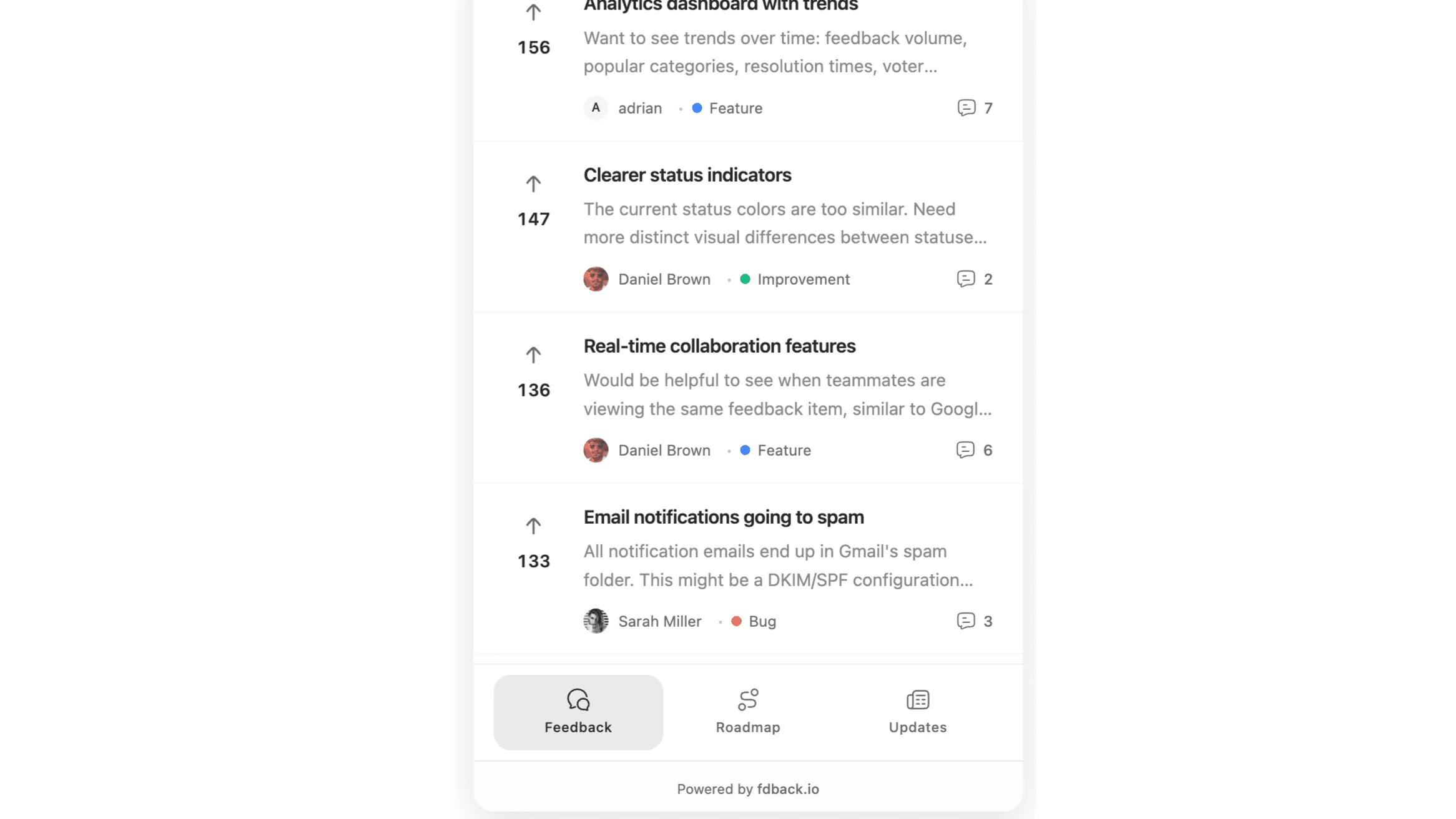
Two modes serve different use cases. Full mode shows tabs for Feedback, Roadmap, and Changelog — your users can submit ideas, check what’s planned, and read recent updates all in one panel. Simple mode shows just the feedback form, which works best when you want focused input without distractions.
React and Next.js Integration
If you’re building with React, the SDK provides dedicated components and hooks.
React Widget Component
Drop the widget into any React app with a single component:
“use client”; import { FdbackWidget } from “@fdback.io/sdk/react”; export function AppWidget() { return (
FeedbackButton Component
If you want a custom button instead of the floating launcher:
“use client”; import { FeedbackButton } from “@fdback.io/sdk/react”; export function Header() { const user = useCurrentUser(); return ( <FeedbackButton user={{ email: user.email, name: user.name }} className=“btn btn-primary” > Give Feedback ); }“use client”; import { FeedbackButton } from “@fdback.io/sdk/react”; export function Header() { const user = useCurrentUser(); return ( <FeedbackButton user={{ email: user.email, name: user.name }} className=“btn btn-primary” > Give Feedback ); }“use client”; import { FeedbackButton } from “@fdback.io/sdk/react”; export function Header() { const user = useCurrentUser(); return ( <FeedbackButton user={{ email: user.email, name: user.name }} className=“btn btn-primary” > Give Feedback ); }
Provider Pattern for Next.js
For Next.js apps, wrap your layout with the provider:
// app/layout.tsx import { FdbackProvider } from “@fdback.io/sdk/react”; export default function RootLayout({ children }) { return (
Then use the useFdback hook anywhere in your app to programmatically control the widget:
“use client”; import { useFdback } from “@fdback.io/sdk/react”; export function RoadmapLink() { const { open, setTab } = useFdback(); return ( <button onClick={() => { open(); setTab(“roadmap”); }}> View Roadmap ); }“use client”; import { useFdback } from “@fdback.io/sdk/react”; export function RoadmapLink() { const { open, setTab } = useFdback(); return ( <button onClick={() => { open(); setTab(“roadmap”); }}> View Roadmap ); }“use client”; import { useFdback } from “@fdback.io/sdk/react”; export function RoadmapLink() { const { open, setTab } = useFdback(); return ( <button onClick={() => { open(); setTab(“roadmap”); }}> View Roadmap ); }
Programmatic Control
The widget instance exposes methods for controlling it from your own UI:
import { widget } from “@fdback.io/sdk”; const instance = widget.init(config); instance.open(); // Open the panel instance.close(); // Close the panel instance.toggle(); // Toggle state instance.setTab(“roadmap”); // Switch to a specific tab instance.setUser({ email: ”…” }); // Update user after login instance.destroy(); // Remove widget from pageimport { widget } from “@fdback.io/sdk”; const instance = widget.init(config); instance.open(); // Open the panel instance.close(); // Close the panel instance.toggle(); // Toggle state instance.setTab(“roadmap”); // Switch to a specific tab instance.setUser({ email: ”…” }); // Update user after login instance.destroy(); // Remove widget from pageimport { widget } from “@fdback.io/sdk”; const instance = widget.init(config); instance.open(); // Open the panel instance.close(); // Close the panel instance.toggle(); // Toggle state instance.setTab(“roadmap”); // Switch to a specific tab instance.setUser({ email: ”…” }); // Update user after login instance.destroy(); // Remove widget from page
This is useful when you want to trigger the widget from specific places in your UI — like a “Feature Requests” link in your sidebar that opens the widget directly to the feedback tab, or a “What’s New” button that opens the changelog tab.
7 Best Practices for In-App Feedback Widgets
1. Authenticate Users
Anonymous feedback is better than no feedback, but authenticated feedback is worth significantly more. When submissions are tied to real accounts, you can prioritize by customer value (MRR, plan tier, usage frequency), follow up directly with the user, and avoid duplicate accounts inflating vote counts.
Configure your widget with a signEndpoint so users are authenticated through your app’s existing session. The widget handles the fallback to anonymous mode gracefully if the user isn’t logged in.
2. Use Full Mode to Show the Complete Picture
Most feedback widgets are one-directional: users submit, and that’s it. By running the widget in full mode with feedback, roadmap, and changelog tabs, you turn a submission tool into a two-way communication channel.
Users can submit an idea on the Feedback tab, see it appear on the Roadmap tab when you plan it, and discover it on the Changelog tab when it ships. This is the feedback loop running inside a single widget.
3. Position It Consistently
The bottom-right corner is the standard position for chat and feedback widgets — users expect to find interactive elements there. Unless you have a strong reason to change it (like a chat widget already occupying that corner), stick with position: “bottom-right”.
If you already use Intercom, Crisp, or another chat tool in the bottom-right, move the feedback widget to bottom-left to avoid overlap.
4. Match Your App’s Design System
A widget that looks foreign breaks trust. Use the primaryColor option to match your brand color and theme to match your app’s dark/light mode. The “auto” theme setting follows the user’s system preference, which works well for apps that support both modes.
5. Don’t Interrupt — Be Available
The biggest advantage of a widget over surveys or popups is that it’s passive. The user decides when to engage. Never auto-open the widget or use it to interrupt workflows. Let the floating launcher sit quietly until the user clicks it. The best feedback comes from users who chose to give it, not users who were forced into a modal.
6. Link to the Widget from Key Moments
While you shouldn’t auto-open the widget, you can guide users toward it at the right moments. Add a “Request a feature” link in your app’s settings page. Include a “Give feedback” option in empty states. Put a “What’s new?” link in your navigation that opens the changelog tab. These contextual prompts increase submissions without being intrusive.
You can do this with the programmatic API:
document.getElementById(“request-feature”).addEventListener(“click”, () => { instance.open(); instance.setTab(“feedback”); });document.getElementById(“request-feature”).addEventListener(“click”, () => { instance.open(); instance.setTab(“feedback”); });document.getElementById(“request-feature”).addEventListener(“click”, () => { instance.open(); instance.setTab(“feedback”); });
7. Act on What You Collect
The fastest way to kill a feedback widget is to collect hundreds of ideas and never respond to any of them. Review new submissions weekly. Update statuses. Mark items as Planned, In Progress, or Not Planned. When users see the board is actively managed, they trust the process and keep contributing.
If you leave ideas sitting in “Under Review” for months, users will stop submitting. The widget becomes a decoration instead of a tool.
Connecting the Widget to Your Feedback Loop
The widget is the entry point. Here’s how it connects to the rest of your product communication:
Widget → Feedback Board. Every submission through the widget lands on your feature voting board. Other users can discover it, vote on it, and add comments. The widget transforms individual feedback into community-validated demand.
Feedback Board → Roadmap. When your team commits to building a top-voted idea, move it to your public roadmap. Users who check the Roadmap tab inside the widget can see it’s planned. This is a retention moment — the user sees that their input is being acted on.
Roadmap → Changelog. When the feature ships, publish a changelog entry. Users who open the Changelog tab in the widget see the update. Everyone who voted gets notified.
Changelog → Widget. The cycle continues. Users discover the changelog through the widget, see that feedback leads to shipped features, and submit more ideas. The loop accelerates.
With fdback, all four pieces — widget, feedback board, roadmap, and changelog — are one connected system. Changing a feature’s status to “Shipped” triggers changelog publication and voter notifications automatically. There’s no manual step between “we built this” and “users know about it.”
Widget Tools Compared
| Capability | fdback | Canny | Featurebase | Userback |
|---|---|---|---|---|
| In-app widget | ✅ | ✅ | ✅ | ✅ |
| Feedback + voting in widget | ✅ | ✅ | ✅ | ❌ (bug reports) |
| Roadmap tab in widget | ✅ | ❌ | ❌ | ❌ |
| Changelog tab in widget | ✅ | ❌ | ❌ | ❌ |
| React/Next.js SDK | ✅ | ❌ | ✅ | ✅ |
| CDN script tag | ✅ | ✅ | ✅ | ✅ |
| HMAC authentication | ✅ | ✅ | ✅ | ✅ |
| Theming/dark mode | ✅ | ✅ | ✅ | ✅ |
| SDK size | ~3.7KB | Not published | Not published | ~15KB |
| Starting price | $15/mo flat | $99/mo | Free (limited) | $49/mo |
The key differentiator is what happens inside the widget. Most tools give you a feedback form or a bug reporter. fdback gives you the full pipeline — feedback, roadmap, and changelog — in a single panel. Users can submit an idea, check what’s planned, and read recent updates without opening a new tab.
Gallery 3
Screenshots comparing widget capabilities:
-
fdback widget with all three tabs — Show the widget open with tabs visible. Annotate: “Feedback, roadmap, and changelog in one widget — the full loop inside your app.”
-
Widget code snippet — Show the minimal init code (3 lines). Annotate: “Three lines of code. Under 10 minutes to set up.”
FAQ
What is an in-app feedback widget?
An in-app feedback widget is a UI element embedded directly in your application — usually a floating button that opens a panel — where users can submit feature requests, report bugs, and vote on existing ideas without leaving your product. It’s the lowest-friction way to collect user feedback because there’s no context switch.
How do I add a feedback widget to my website or app?
Install the SDK via npm (npm install @fdback.io/sdk) or include the CDN script tag. Initialize the widget with your workspace ID: widget.init({ workspaceId: “your-id” }). A floating button appears immediately. For authenticated feedback, add a signEndpoint that signs user data with HMAC-SHA256.
Should feedback through the widget be anonymous or authenticated?
Authenticated whenever possible. Anonymous feedback is better than no feedback, but authenticated submissions let you prioritize by customer value, follow up with users, and prevent duplicate votes. Most widgets support graceful fallback — authenticated users get full attribution, while anonymous visitors can still submit.
Where should I position the feedback widget?
Bottom-right is the standard for interactive widgets. If you already have a chat tool (Intercom, Crisp, Drift) in that corner, move the feedback widget to bottom-left. Consistency matters more than exact position — pick a spot and keep it there.
Will a feedback widget slow down my app?
Not if the SDK is lightweight. The fdback SDK core is ~3.7KB — smaller than most analytics snippets. The widget panel loads in an iframe, so it doesn’t add to your app’s JavaScript bundle or affect main-thread performance. It loads asynchronously and doesn’t block rendering.
What’s the difference between a feedback widget and an NPS survey widget?
An NPS widget asks a specific question (“How likely are you to recommend…”) and collects a score. A feedback widget is open-ended — users decide what to tell you. NPS measures sentiment. A feedback widget captures ideas, feature requests, and bug reports. Both are useful; they serve different purposes.
Can the widget show my product roadmap and changelog too?
With fdback, yes. In full mode, the widget shows tabs for Feedback, Roadmap, and Changelog. Users can submit ideas, check what’s planned, and read recent updates — all without leaving your app. Most other feedback widgets only show a submission form.
How do I connect widget feedback to my product roadmap?
Use a tool where the feedback board and roadmap are integrated. When a user submits an idea through the widget, it appears on your feedback board. When you decide to build it, promote it to your roadmap. When it ships, publish a changelog entry and voters get notified. With fdback, this entire flow happens in one connected system.
Collect Feedback Where Your Users Already Are
Your users are inside your app right now. They have ideas, frustrations, and suggestions — but they’re not going to open a new tab to tell you about them. Meet them where they are.
fdback’s widget gives your users a feedback board, roadmap, and changelog — all inside a single in-app panel. Three lines of code. Under 10 minutes to set up. The full feedback loop, embedded.
More insights to explore
Feature Voting Boards: The Complete Guide for SaaS Teams
Complete guide to setting up feature voting boards for SaaS. Includes setup steps, best practices, and tools that close the feedback loop.
The 7 Best Sleekplan Alternatives in 2026 (Honestly Compared)
Sleekplan's free plan is single-admin, and branding removal waits on the $38/mo tier, with metered AI credits and view caps. 7 alternatives compared on price and limits.
The 7 Best Nolt Alternatives in 2026 (Honestly Compared)
Nolt costs $29–69/mo with no free plan and one board on the entry plan. I compare 7 alternatives on pricing, boards, integrations, and the feedback loop.
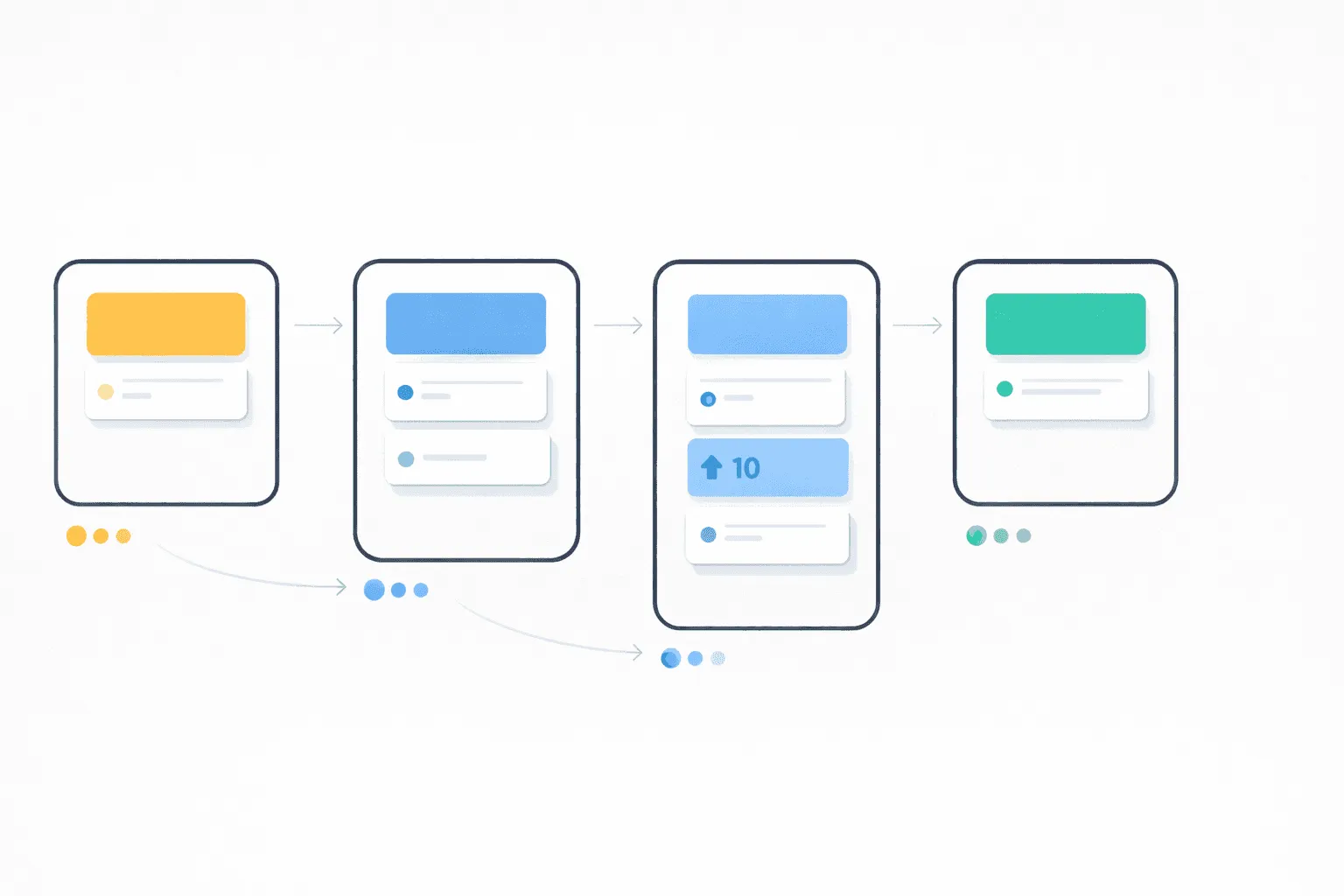
Public Product Roadmap: The Complete Guide for SaaS Teams
Learn how to build a public product roadmap that reduces churn, builds trust, and turns users into advocates. Step-by-step guide with examples and tools.
The 7 Best Frill Alternatives in 2026 (Honestly Compared)
Frill's $25/mo plan caps you at 50 ideas, and add-ons push the real cost to $150+. We compare 7 Frill alternatives on pricing, features, and limits.

UserVoice Pricing Explained: What You Actually Pay in 2026
UserVoice starts at $999/month with a 200-user cap. We break down every plan, explain the hidden costs, and compare alternatives that cost 95% less.