Best Feedback Tools for SaaS Teams in 2026
15 min readUpdated August 13, 2026
On this page▾
Every SaaS team needs a way to collect feedback from users, figure out what to build next, and let users know when it ships. The question is which tool to use - and the answer depends almost entirely on your stage and budget.
Most “best tools” listicles are written by the tools themselves. Featurebase writes a list where Featurebase is #1. Frill writes one where Frill wins. Canny writes one where Canny comes out on top. You learn nothing because every list is a sales pitch dressed up as a comparison.
This guide takes a different approach. We’ll break down nine feedback tools by what they actually do well, where they fall short, what they cost in practice (not just the number on the pricing page), and which type of team each one suits best.
Full disclosure: we built fdback, so it’s on this list. We’ll be straightforward about what it does and doesn’t do, and we’ll point you to alternatives when they’re a better fit.
What to Look For in a SaaS Feedback Tool
Before comparing tools, it helps to know which features matter and which are nice-to-haves. For most SaaS teams, the core workflow has four stages.
Collect - users submit feature requests and ideas through a board or in-app widget. The easier this is, the more feedback you’ll get from your silent majority - not just the loudest users.
Prioritize - users vote on ideas, and you use votes plus business context to decide what to build. A feature voting board makes prioritization structured instead of guesswork.
Plan - a public roadmap shows users what’s coming next, reducing “when will you add X?” support tickets and building anticipation for upcoming releases.
Ship & notify - a changelog announces what you’ve built, and voters get notified that their request is live. This closes the feedback loop.
Any tool that covers all four steps without requiring additional tools is a complete feedback solution. Tools that only handle one or two steps (like Beamer, which only does the changelog part) need to be stacked with others - adding cost and complexity.
When you evaluate tools, the most important question isn’t “which has the most features?” It’s “which one covers my workflow without forcing me to buy a second tool to fill the gaps?”
The 9 Best Feedback Tools Compared
Quick Comparison Table
| Tool | Best For | Pricing Model | Starting Price | Complete Loop |
|---|---|---|---|---|
| fdback | Indie founders, budget teams | Flat rate | Free, then $15/mo | ✅ |
| Canny | Funded startups | Per tracked user | $0 (25 users) | ✅ |
| Featurebase | All-in-one teams | Per seat | $0 (1 seat) | ✅ |
| Nolt | Simplicity-first | Per board | $29/mo | ❌ (no changelog) |
| Frill | Small teams | Flat rate | $25/mo | ✅ |
| Beamer | Changelog-only | Per MAU | $0 (1K MAUs) | ❌ (no voting) |
| UserVoice | Enterprise | Flat (high) | $999/mo | ❌ (no public roadmap) |
| Productboard | Product teams | Per maker | $19/maker/mo | ❌ (no voting) |
| Sleekplan | Free + surveys | Flat rate | $0 (free) | ✅ |
1. fdback - Best for Indie Founders and Budget-Conscious Teams
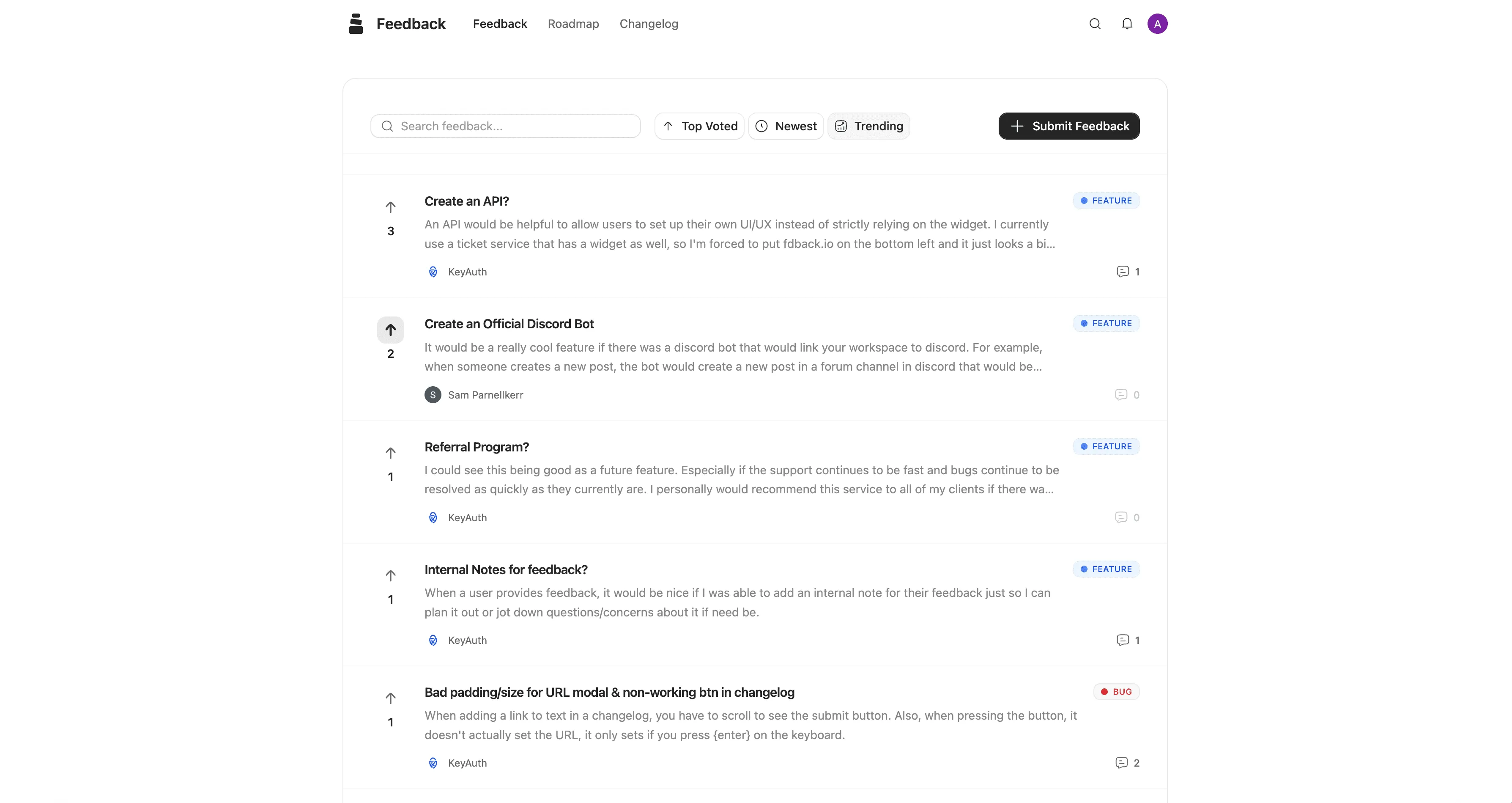
fdback is a focused feedback tool that covers the full collect-vote-plan-ship-notify loop for $15/month flat. No per-seat pricing. No tracked-user limits. No MAU caps. No add-ons.
You get a feedback board, feature voting, a public roadmap, a changelog, an in-app widget, voter notifications, and custom domain support — plus AI duplicate detection and spam filtering on every plan, and auto-tagging on Pro. When you mark a feature as shipped, voters are notified automatically - that’s the complete feedback loop in one tool, at the lowest price point on this list.
What fdback doesn’t have: user segmentation by revenue, advanced analytics, SSO, or NPS/CSAT surveys. It’s deliberately focused on the core feedback workflow and nothing else.
Best for: Solo founders, indie hackers, bootstrapped SaaS teams, and anyone who needs the full feedback pipeline without paying $50-999/month. If your budget for a feedback tool is under $30/month, fdback is the only option that covers all four stages of the feedback loop.
Not ideal for: Larger teams (15+ people) with formal product management workflows that need SSO or enterprise integrations.
Pricing: free plan (full features, 1 workspace), then $15/month flat. No user limits or hidden fees.
2. Canny - Best for Funded Teams Needing Integrations
Canny is one of the most established feedback tools with a polished interface, strong integrations (Jira, Linear, GitHub, Intercom, Zendesk), and AI-powered features including duplicate detection and smart replies.
The catch is pricing. Canny charges per tracked user - anyone who votes, comments, or submits feedback counts. The free plan caps at 25 tracked users. The paid Pro plan starts at $79/month (billed yearly) with PM integrations included, and the price scales with tracked users from there. Advanced features require higher tiers.
For a detailed cost breakdown, see our Canny pricing guide.
Best for: Funded startups with 10+ people and budget for a feedback tool whose bill grows with your audience. Canny’s integration depth and AI features justify the cost if you need Jira sync, user segmentation by revenue, and automated feedback capture from support conversations.
Not ideal for: Bootstrapped teams or anyone where a feedback bill that climbs with every new voter isn’t justifiable. Costs scale unpredictably as your user base grows.
Pricing: free for 25 tracked users, then Pro from $79/month (billed yearly), scaling with tracked users.
3. Featurebase - Best All-in-One Platform
Featurebase has evolved from a feedback tool into a full support and product suite. You get feedback boards, roadmaps, changelogs, surveys, a help center, a support inbox, and an AI agent - all in one subscription.
Pricing is per seat: $29/seat/month (Growth), $59/seat/month (Professional), or $99/seat/month (Enterprise), plus $0.49 per AI resolution. The free plan gives you 1 seat with limited features. End users are unlimited on all plans.
For full pricing details, see our Featurebase pricing guide.
Best for: Teams that want to consolidate feedback, support, and help center into one tool. If you’re currently paying for separate tools for each of these, Featurebase can reduce total cost and tool sprawl significantly.
Not ideal for: Teams that only need feedback. You’re paying for a support suite, help center, and AI agent you may not use. Per-seat pricing scales fast as your team grows.
Pricing: Free (1 seat, limited), $29-99/seat/month + $0.49 per AI resolution.
4. Nolt - Best for Extreme Simplicity
Nolt is the lightest feedback tool on this list. One board, voting, a roadmap, SSO - and nothing else. No changelog. No AI. No native in-app widget (only iframe embedding, with documented Safari/Firefox issues).
Pricing is flat and board-based: $29/month for 1 board (Essential) or $69/month for 5 boards (Pro). Unlimited users and admins on all plans. No free plan.
For full pricing details, see our Nolt pricing guide.
Best for: Teams that want the simplest possible feedback board with SSO at a low price point and don’t need a changelog or voter notifications. The UI is genuinely clean and the setup is fast.
Not ideal for: Anyone who needs the complete feedback loop. Without a changelog or voter notifications, you can collect feedback but can’t close the loop when you ship. Users have requested a changelog for years - it’s still not built.
Pricing: $29/month (1 board) or $69/month (5 boards). No free plan.
5. Frill - Best Flat-Rate Mid-Tier Option
Frill covers feedback boards, roadmaps, changelogs, and an in-app widget at a flat monthly price starting at $25/month. It’s positioned between fdback’s minimalism and Canny’s complexity.
Frill includes GitHub and Jira integrations even on lower plans, which is unusual at this price point. The interface is clean and setup is quick. Pricing goes up to $149/month for white-labeling and advanced features.
Best for: Small teams (2-5 people) that want feedback + changelog + basic integrations at a predictable flat price without per-user scaling. The middle ground between fdback’s $15/mo and Canny’s $79+/mo.
Not ideal for: Teams needing advanced analytics, AI features, user segmentation by revenue, or enterprise integrations.
Pricing: $25-149/month flat tiers.
6. Beamer - Best Dedicated Changelog Tool
Beamer is not a feedback tool - it’s a changelog and announcement tool. It excels at in-app notifications, push notifications, segmented announcements, and email digests. The widget is polished and effective at driving feature awareness.
Feedback is a paid add-on (not included in any base plan). There’s no voting board and no public roadmap. Pricing starts at $49/month (Starter, 5,000 MAUs) and scales to $249/month (Scale, 80,000 MAUs).
For full pricing details, see our Beamer pricing guide.
Best for: Teams that already have a feedback tool and specifically need a best-in-class changelog widget with segmented announcements, push notifications, and email digests. If broadcasting product updates is your primary need, Beamer is the gold standard.
Not ideal for: Anyone looking for a complete feedback solution. Beamer only handles the “ship & notify” step. You’ll need a separate tool for collect, prioritize, and plan - adding cost and breaking the connected loop.
Pricing: Free (1,000 MAUs, limited), $49-249/month based on MAUs.
7. UserVoice - Best for Enterprise
UserVoice is the oldest and most expensive feedback platform, designed for mid-market to enterprise companies. Plans start at $999/month with a 200-user cap, going up to $1,499/month for 5,000 users.
What you get for that price: sophisticated analytics, user segmentation by account revenue, internal feedback capture from sales and support teams, Salesforce and Zendesk integrations, and a dedicated customer success manager.
What you don’t get, surprisingly: a public roadmap — not available on any plan. For an enterprise tool at this price point, that omission is notable.
For full pricing details, see our UserVoice pricing guide.
Best for: Companies with 50+ employees, enterprise customers, formal product management functions, and a budget that treats $12,000-18,000/year for a feedback tool as a normal line item.
Not ideal for: Basically everyone else. At $999/month minimum, UserVoice is inaccessible to startups and small teams - and even for larger teams, the lack of a public roadmap is hard to justify at this price.
Pricing: $999-1,499/month with custom enterprise tiers.
8. Productboard - Best for Product Management Workflows
Productboard is more of a product management platform than a pure feedback tool. It includes feedback collection, but the focus is on prioritization frameworks, customer insights, strategic alignment, and roadmapping for larger product teams.
Pricing starts at $19/maker/month billed annually ($25 monthly). A “maker” is anyone who creates or manages product content - PMs, designers, analysts. At 5 makers, that’s $95/month. At 10, it’s $190/month - and the Business tier runs $59/maker/month.
Best for: Product teams of 5+ people at companies where product management is a formal discipline and you need advanced prioritization, customer segmentation, and strategic alignment tools. It’s a PM tool that happens to include feedback, not a feedback tool with PM features.
Not ideal for: Indie founders or small teams. Productboard’s complexity is its strength for large teams and its weakness for small ones. There’s no native changelog, no public-facing voting widget, and the learning curve is significant.
Pricing: $19-59/maker/month (billed annually), Enterprise custom.
9. Sleekplan - Best Free Option with Surveys
Sleekplan offers feedback boards, roadmaps, changelogs, and satisfaction surveys with a usable free plan. Paid plans start at $13/month (Starter) and go up to $38/month (Business).
It’s one of the most affordable complete feedback tools available. The interface is functional though not as polished as Canny or Featurebase. It includes an in-app widget, custom domain support, basic integrations, and built-in NPS/CSAT surveys - features most competitors lock behind much higher tiers.
Best for: Teams that want the full feedback loop plus satisfaction surveys at the lowest possible cost. The free plan is genuinely usable, not just a trial.
Not ideal for: Teams needing advanced analytics, AI features, or deep PM integrations. The UI is showing its age compared to newer tools.
Pricing: Free, then $13-38/month flat tiers.
How to Choose the Right Tool
The decision tree is simpler than it looks. Match your situation to one of these scenarios.
Budget under $30/month, need the full loop? fdback (free plan, then $15/mo) or Sleekplan (free, then $13/mo). Both cover collect → vote → plan → ship → notify. fdback is simpler and more focused on the feedback workflow. Sleekplan adds satisfaction surveys but has a less polished UI.
Budget $50-100/month, need integrations? Frill ($25-49/mo) is the sweet spot. Flat pricing, GitHub/Jira included, full feedback loop. Canny’s free tier also works if you have under 25 tracked users - but it gets expensive fast.
Budget $100-300/month, growing team? Canny Pro or Featurebase Growth. Canny if you want the deepest integration ecosystem and AI features. Featurebase if you want feedback + support inbox + help center consolidated into one tool.
Budget $300+/month, formal product team? Productboard for product management workflows. Canny Business for feedback-focused teams with enterprise needs. Featurebase Professional for all-in-one consolidation.
Budget $1,000+/month, enterprise? UserVoice for enterprise analytics, Salesforce integration, and dedicated CSM. Productboard Enterprise for strategic product management at scale.
Only need a changelog? Beamer is the best dedicated changelog tool. But before buying it, ask whether a tool that includes a changelog alongside feedback and roadmap (fdback, Frill, Featurebase, Canny, Sleekplan) would be simpler than stacking Beamer with a separate feedback tool. Usually it is.
Common Mistakes When Choosing a Feedback Tool
After watching hundreds of teams pick (and switch between) feedback tools, the same mistakes show up over and over.
Picking based on features you’ll never use. Teams get seduced by AI features, enterprise integrations, and advanced analytics - then use 10% of what they paid for. The question isn’t “which tool has the most features?” It’s “which tool covers what I’ll actually use?”
Underestimating per-user pricing growth. Canny costs $79/month at 100 users but scales aggressively. Featurebase costs $29/seat at 1 seat but multiplies by team size. UserVoice starts at $999. Always model the cost at the team size and user count you’ll have in 12 months, not today.
Treating the changelog as optional. Many teams pick a tool without a changelog (Nolt, Productboard) and then realize they need one. They end up bolting on Beamer or Headway, paying twice and breaking the connected loop. The changelog is part of the feedback loop, not a separate concern.
Ignoring the in-app widget. Tools without a native in-app widget collect dramatically less feedback than tools that have one. If users have to navigate to a separate page to submit feedback, you’ll only hear from your loudest users - not your silent majority.
Optimizing for “free” instead of value. A free tool that doesn’t fit your workflow costs more than a $15/month tool that does. Free plans are great for testing, but pick based on fit, not price alone.
How to Switch Feedback Tools (If You Need To)
If you’re already using a feedback tool and considering a switch, the migration is usually simpler than you’d expect. Here’s the process.
Export your data. Most tools support CSV export of feedback posts, comments, and vote counts. Some (Canny, Featurebase) offer direct migration tools or APIs.
Import to the new tool. CSV imports work for most platforms. Vote counts and user associations are the trickiest part - you may lose some context here, which is why earlier switches are easier than later ones.
Set up redirects. If your old feedback board lived at a custom subdomain (feedback.yourapp.com), redirect it to the new tool to preserve any inbound links and bookmarks.
Notify your users. Send an email or in-app message announcing the move. Most users won’t care which tool you use - they care about whether you respond to feedback. A short note acknowledging the switch is enough.
Don’t migrate dead feedback. Only import active, unresolved requests. Old feedback that never gained traction or was already shipped doesn’t need to come along.
The main cost of switching is losing some historical data and momentum. The longer you wait, the more painful it gets. If your current tool isn’t working - switch early.
FAQ
What’s the best free feedback tool for SaaS?
fdback, Sleekplan, and Featurebase all offer usable free plans. fdback’s free plan includes full features for 1 workspace. Sleekplan’s free tier includes feedback boards, a roadmap, a changelog, and surveys. Featurebase’s free tier includes 1 seat with feedback, roadmap, changelog, and a help center (50 articles). Canny’s free plan is limited to 25 tracked users, which most products outgrow within weeks of launching.
What’s the cheapest feedback tool with a changelog?
fdback at $15/month includes feedback boards, voting, roadmap, changelog, and voter notifications with no user limits. Sleekplan’s free plan also includes a changelog. Nolt ($29/month) does not include a changelog on any plan, despite years of user requests for one.
Do I need a separate changelog tool like Beamer?
Only if your primary need is sophisticated announcement targeting, push notifications, and segmented in-app messages. If you just need to publish updates and notify users when features ship, most feedback tools (fdback, Canny, Featurebase, Frill, Sleekplan) include a changelog as part of the package - and the connected loop is more valuable than a standalone changelog with more features.
Which feedback tool is best for a solo founder?
fdback (free plan, then $15/mo) or Sleekplan (free). Both are simple to set up, cover the full feedback loop, and don’t require team features you won’t use. Avoid Productboard, UserVoice, or enterprise-tier Canny - they’re built for teams of 10+, not individuals.
Which feedback tool scales best as my team grows?
Featurebase scales naturally with team size (per-seat pricing) and includes support and help center features that growing teams need. Canny scales with user engagement (per tracked user), which is unpredictable. fdback’s flat pricing doesn’t scale at all - $15/month whether you have 1 admin or 10 - but lacks the team features larger orgs need.
Should I use a feedback tool or a project management tool for feature requests?
A dedicated feedback tool. Project management tools (Jira, Linear, Notion) are built for internal task tracking, not for collecting external user feedback. A feedback tool adds voting, public boards, roadmaps, and the ability to close the loop with users - things project management tools don’t do. Use both: a feedback tool for users, a PM tool for your team’s execution.
How important is the in-app widget?
Very. Tools with a native in-app widget collect significantly more feedback than tools that require users to navigate to a separate page. The less friction, the more feedback you get - and the more representative it is of your actual user base, not just your most vocal users.
Can I switch feedback tools later?
Yes. Most tools support CSV export and import. The main cost of switching is losing vote counts and historical context, which may need to be re-established. Switch early if your current tool isn’t working - the longer you wait, the more data migration becomes a headache.
Pick a Tool That Fits Your Workflow, Not Your FOMO
The best feedback tool isn’t the one with the most features. It’s the one that covers your workflow without forcing you to buy a second tool to fill the gaps.
For most indie founders and small SaaS teams, that means a tool with feedback collection, voting, a roadmap, a changelog, voter notifications, and an in-app widget - at a price that doesn’t punish you for growing.
fdback covers all of that for $15/month flat — with a free plan to start. No per-seat pricing. No tracked-user limits. No add-ons. Just the complete feedback loop in one tool.
More insights to explore
Canny vs Sleekplan 2026: Is the Price Gap Worth It?
Sleekplan tops out at $38/mo while Canny can run into the hundreds. What the extra money buys, where Sleekplan's meters bite, and which tool to pick.
The 9 Best Canny Alternatives in 2026 (Honestly Compared)
Looking for a Canny alternative? We compare 9 feedback tools on pricing, features, and the full feedback loop — from free plans to $999/mo enterprise.
Beamer Pricing Explained: What You Actually Pay in 2026
Beamer starts simple, but pricing can grow with your needs. See Beamer plans, limits, add-ons, and a cheaper alternative for SaaS teams.
Public Product Roadmap: The Complete Guide for SaaS Teams
Learn how to build a public product roadmap that reduces churn, builds trust, and turns users into advocates. Step-by-step guide with examples and tools.
Frill vs Sleekplan 2026: Add-Ons vs Meters — Which Costs Less?
Frill's add-ons and Sleekplan's usage meters both inflate the sticker price. Side-by-side plans, real cost scenarios, and which one is actually cheaper.
Canny vs UserVoice 2026: Is the Enterprise Price Worth It?
Canny starts at $79/mo self-serve; UserVoice starts at $999/mo behind a sales call. We compare pricing, features, and who each tool is really built for.